










For millions of individuals living with Возрастная макулярная дегенерация (ВМД), the world doesn’t go dark—it becomes a puzzle with the center piece missing. One day you are reading the morning news; the next, the letters seem to swerve and fade into a gray fog. This loss of “central vision” is more than a medical diagnosis; it is a direct hit to one’s independence.
If you have Dry or Wet AMD, you have likely been told that “nothing more can be done” once injections or vitamins have done their work. But that only refers to the biological eye. In the world of вспомогательные технологии, the story is just beginning. You may have tried a traditional magnifying glass, or perhaps you’ve struggled with the “Magnifier” app on your smartphone.
However, as many soon discover, these generic tools often lead to “visual fatigue” and frustration. Today, we are conducting a deep dive into why professional reading aids for macular degeneration are the real key to reclaiming your life. We will explore the technical superiority of the Zoomax Luna 6, the productivity power of the Снежная площадка, and the immersive freedom of Acesight VR.
The “Smartphone Trap”: A Common Mistake for Seniors
It is the most common advice given by well-meaning relatives: “Just use your phone to zoom in!” On paper, it makes sense. Smartphones have high-resolution cameras and bright screens. But for a person with central vision loss, the smartphone is often a “trap” of complexity and poor image quality.
1. The UX Barrier: Tiny Icons and Hidden Menus
To use a smartphone as a magnifier, you must first unlock the device, find an icon (which is likely blurry to you), and navigate a touch-sensitive interface. For an older man with AMD, this is a nightmare. There is no tactile feedback. If you miss the icon by a millimeter, you open the wrong app.
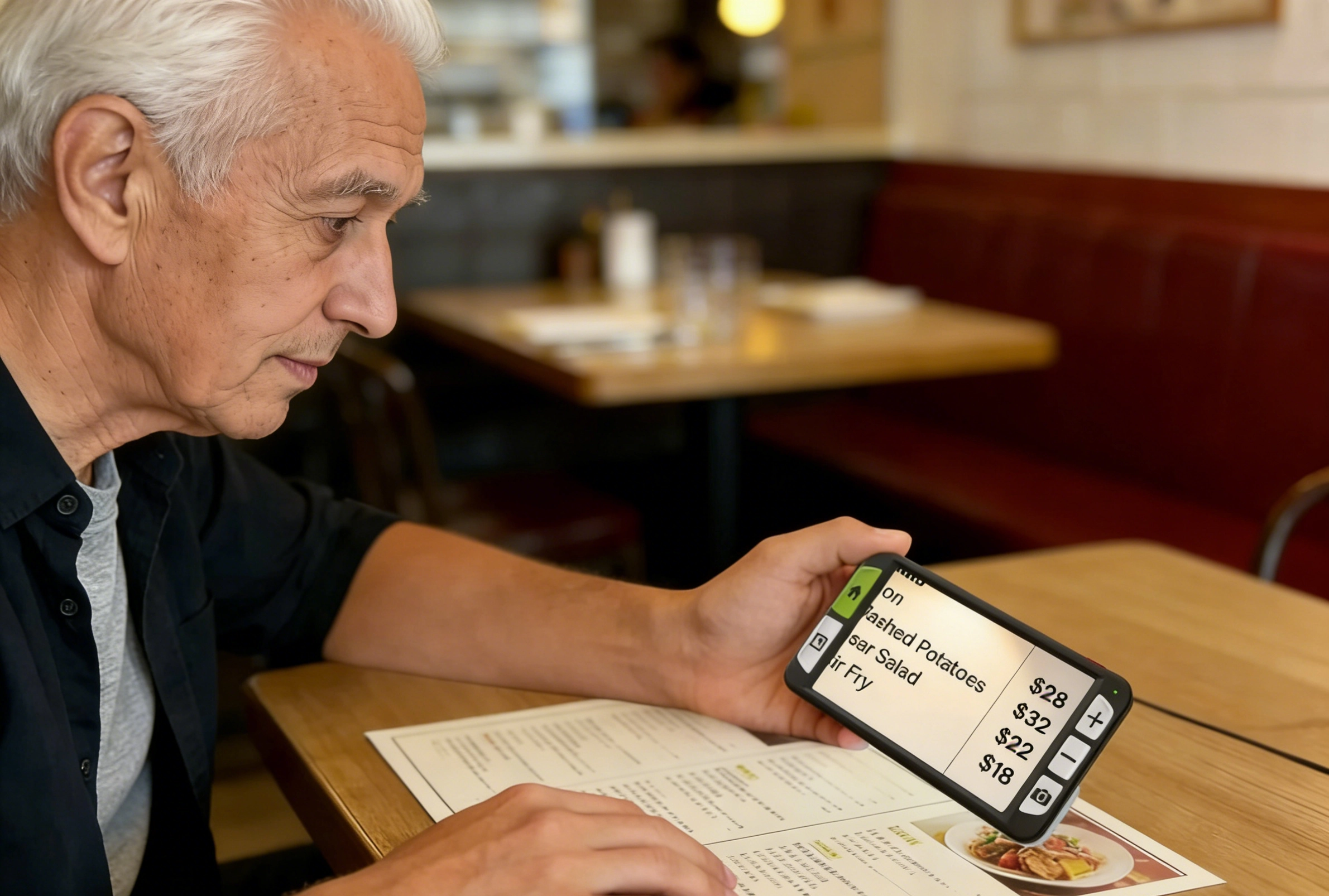
Professional video magnifiers like the Луна 6 eliminate this. They use Tactile Physical Buttons. You can feel the zoom button with your thumb without needing to see it. It is “instant-on” technology. You pick it up, and it works. No passwords, no updates, no menus.
2. Digital Noise vs. Professional Image Algorithms
This is where the real science happens. A smartphone uses “Digital Zoom,” which simply stretches the pixels of a photo. This creates “noise”—those grainy, dancing dots that make letters look jagged.
Professional reading aids for visually impaired users employ a Dedicated Image Signal Processor (ISP).
- Edge Enhancement:This algorithm identifies the borders of letters and sharpens them specifically.
- Anti-Blur Technology:Even if your hand shakes slightly, the processor stabilizes the image in real-time.
- True Contrast:While a phone screen reflects light and causes glare, devices like the Луна 6 offer matte-finish processing that provides deep blacks and crisp whites, reducing the “washout” effect common in Macular Degeneration.
3. Ergonomics and “Hand Fatigue”
Reading a book shouldn’t be a workout. Holding a thin, slippery smartphone at a specific angle for 20 minutes causes significant hand and wrist strain. Professional aids are designed for the human hand. Whether it’s the tactile handle of the Luna 6 or the hands-free goggles of the Acesight VR, these tools are built for “sustained reading,” not just quick glances.

The Pocket-Sized Powerhouse: Zoomax Luna 6
When you are at a restaurant or a grocery store, you don’t want a bulky machine. You need something that fits in a jacket pocket but performs like a high-end computer. The Луна 6 is widely considered one of the best electronic magnifiers for AMD for “on-the-go” life.
Beyond Simple Magnification
The Luna 6 features a 5.5-inch HD screen, but its secret weapon is the built-in handle. You can hold it like a traditional magnifying glass, which feels natural to long-time readers.
Innovation: Wireless Charging
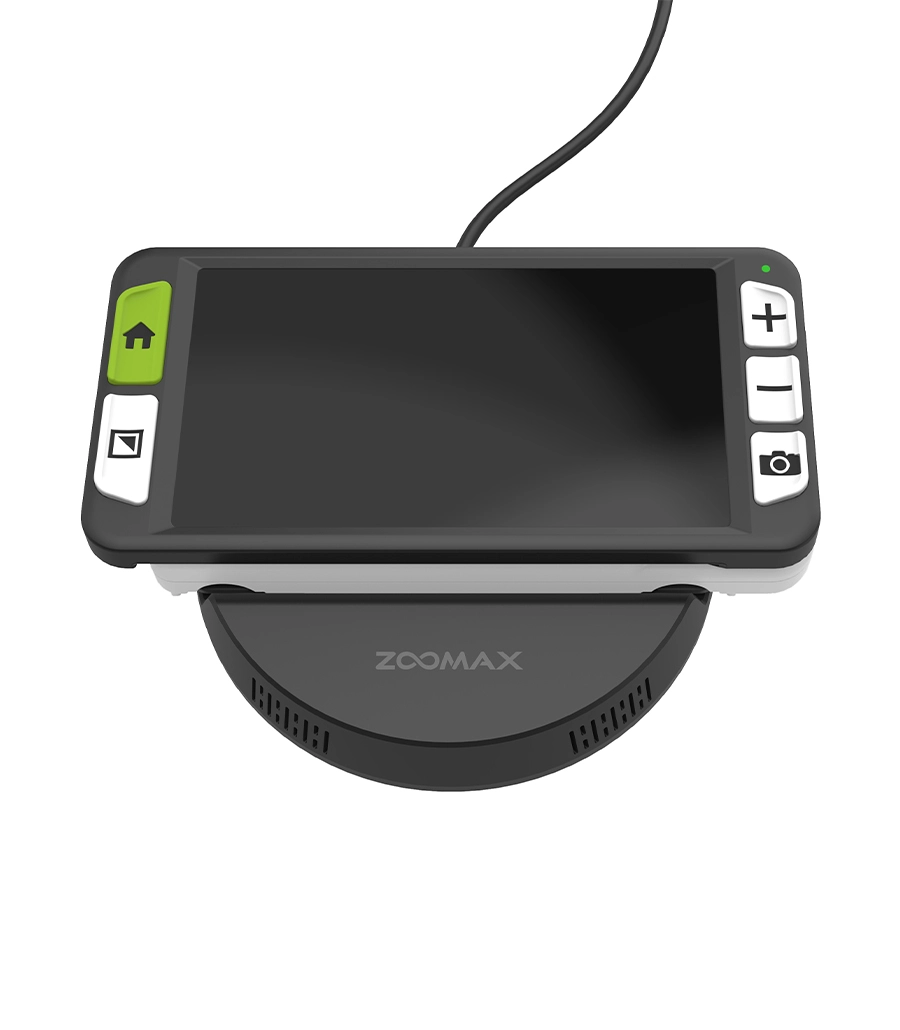
For many AMD patients, the most frustrating task isn’t reading—it’s charging the device. Trying to aim a tiny USB-C cable into a small slot is nearly impossible when you can’t see the center of the port. The Luna 6 solves this with Wireless Charging. You simply place it on its base. It “finds” the connection itself. This is a perfect example of “Human-Centric Design” that moves beyond basic tech specs.
Reclaiming Your Desk: The Zoomax Snow Pad
For those who are still working, studying, or simply love to spend hours with a thick novel, a handheld device isn’t enough. You need the Снежная площадка, a portable CCTV system that bridges the gap between a tablet and a professional magnifier.

The Power of iPad Integration
The Snow Pad is unique because it integrates with the iPad. This allows you to use the familiar gestures of a tablet but with the high-performance optics of a professional camera.
Distance and Near Viewing
Most magnifiers only look at what is directly beneath them. The Snow Pad allows for Distance Viewing. You can point the camera at a whiteboard during a lecture or at a TV screen across the room, then instantly flip it down to read the notes on your desk.
The Split-View Advantage
This is a game-changer for productivity. You can have the magnified live view of your document on the bottom half of the screen, while keeping your Zoom call or email open on the top half. It is the ultimate visual aid for central vision loss in a professional environment.
The Future of Vision: Acesight VR
The “Holy Grail” of assistive tech has always been hands-free independence. If you want to play cards, cook a meal, or watch your grandchildren play in the yard, you cannot be holding a screen.
Acesight VR is a wearable technology for low vision that feels like something out of a sci-fi movie, but its benefits are very real.

Immersive Peripheral Utilization
AMD destroys the center of your vision, but your peripheral vision remains healthy. Acesight VR uses a 48MP Camera to capture the world and re-project it in a way that your eyes can actually use.
- 65° Field of View:It fills your entire visual field, making you feel “inside” the scene.
- Outline Mode:This professional algorithm draws high-contrast lines around objects (like the edge of a step or a doorway), helping you navigate the environment.
Technical Comparison: Making an Informed Choice
Feature | Луна 6 | Снежная площадка | Acesight VR |
Primary Lifestyle Scenario | Shopping, Menus, Travel | Reading Books, Office Work | TV, Hobbies, Social Events |
Magnification Range | 2.5x to 19x | 1.2x to 32x | 1x to 16x |
Display Technology | 5.5″ HD LCD | iPad Retina Display | Dual HD OLED Displays |
Weight & Comfort | Ultra-Light (Pocket) | Portable Stand (Desk) | Wearable (Hands-Free) |
Specialized Algorithm | Edge-Sharpening ISP | Distance/Near Split View | 48MP Real-time Enhancement |
Why Professional Algorithms Matter for Eye Health
When you use a low-quality magnifier (like a cheap $20 plastic lens or a basic phone app), your brain has to work incredibly hard to “fill in the blanks” of the blurry image. This leads to Visual Fatigue, headaches, and a shorter reading duration.
Professional reading aids for macular degeneration are designed to reduce this “Cognitive Load.” By providing High-Contrast Color Modes (such as Yellow on Black), these devices send a much stronger signal to the brain. This allows the user to read for hours rather than minutes, effectively “extending” the functional life of their remaining vision.