










In Brief: Strategic Accessibility for Modern Libraries
- Regulatory Mandate: Navigating the latest ADA compliance for libraries (2024 DOJ updates) and EN 301 549 standards is critical to mitigating legal risk.
- Demographic Shift: Addressing the rise in low vision reading aids for macular degeneration and glaucoma is essential as the aging population grows.
- Hybrid Solutions: A dual-track approach—using Luna HD 24 Profor traditional print and Snow Pad for digital/distance viewing—ensures total coverage.
- Institutional ROI: Zoomax solutions prioritize globallibrary accessibility through zero-latency ISP technology, offline privacy security, and institutional-grade durability.

In the modern information age, libraries and community reading centers are more than just repositories for books; they are vital hubs for social equity and lifelong learning. However, as digital and physical information environments become more complex, a significant portion of the population—those with low vision—faces a widening “information gap.”
For procurement officers and library administrators, providing library accessibility is no longer just a courtesy; it is a legal and social mandate. With the recent updates to international standards and the evolving landscape of assistive technology, choosing the right solutions is a strategic decision that impacts community satisfaction and institutional compliance.
Navigating Legal Compliance: Beyond the Minimum Requirements of ADA Title II & III
In the United States, the Americans with Disabilities Act (ADA) provides clear frameworks for public institutions. Under ADA Title II (state and local government entities) and Раздел III (places of public accommodation), libraries are required to provide “effective communication” and “auxiliary aids and services” to ensure individuals with vision impairments have equal access to materials.
Recent regulatory trends, including the DOJ’s 2024 final rule updating accessibility requirements for public entities, emphasize that accessibility must be proactive rather than reactive. Similarly, in Europe, the EN 301 549 standard sets rigorous benchmarks for the procurement of ICT (Information and Communication Technology) products in the public sector.
B2B Professional Tip: Risk Mitigation
Failing to meet ADA compliance for libraries can result in costly litigation and federal investigations. Investing in high-performance настольная видеоувеличитель systems is the most cost-effective way to mitigate legal risks while future-proofing your facility against shifting regulatory standards.
Empowering the Aging Population: The Strategic Value of Vision Accessibility
The demand for accessibility in libraries is being driven by a global demographic shift. According to the Lancet Global Health Commission on Global Eye Health (2023), the number of people with near-vision impairment is projected to rise significantly as the population ages.
Conditions such as Age-Related Macular Degeneration (AMD) and Glaucoma are common among library patrons. These readers require more than just “large print” books; they need low vision reading aids for macular degeneration that can enhance contrast, eliminate glare, and provide adjustable magnification. By integrating advanced reading aids for visually impaired patrons, libraries transform from a “compliance-heavy” environment into a community asset that fosters inclusion for the elderly, directly increasing foot traffic and user engagement metrics.
Matching Solutions to Eye Conditions
Different eye conditions demand different visual strategies:
Condition | Typical Visual Challenge | Recommended Magnification Feature |
Macular Degeneration (AMD) | Central vision loss, difficulty reading small print | High-contrast modes, large display size, high magnification range |
Глаукома | Tunnel vision, reduced contrast sensitivity | Adjustable contrast levels, wide field-of-view displays |
Диабетическая ретинопатия | Patchy vision loss, fluctuating clarity | Multiple color modes, stable image with low latency |
Катаракта | Blurred vision, glare sensitivity | Adjustable brightness, anti-glare screen, true-color mode |
Libraries serving diverse patron bases benefit from versatile devices that offer the full spectrum of color modes и contrast adjustments—ensuring that a single workstation serves users across multiple condition profiles.
Seamless Integration: Technical Synergy Between Zoomax Tech and Modern Workstations
For IT departments and facility managers, the primary concern with assistive technology is often the “total cost of ownership” (TCO) and ease of maintenance. Zoomax solutions are engineered with these B2B pain points in mind.
Our core technology utilizes advanced Image Signal Processing (ISP) algorithms. Unlike consumer-grade magnifiers, Zoomax professional systems offer:
- Zero-Latency Viewing: Ensuring that text stays sharp even when a patron moves the book rapidly.
- High-Contrast Modes: Specifically tuned to assist users with varying degrees of light sensitivity.
- Plug-and-Play Compatibility: Zoomax devices are designed to work alongside existing library workstations without requiring complex driver installations or specialized software.
- Built for Institutional Longevity:Zoomax delivers institutional-grade durability and a complete after-sales framework—including a 2-year warranty, and free remote technical support—ensuring libraries gain a reliable, long-term vendor partnership rather than a one-off consumer transaction.
Product Spotlight: Precision Engineering for Specialized Reading Environments
A well-designed global library accessibility program recognizes that no single device serves every use case. Patrons reading physical books require different tools than those accessing digital content, and a comprehensive workstation pairs complementary solutions.
Luna HD 24 Pro: The Reference Desktop Video Magnifier
The Reference Standard for Traditional Print Collections
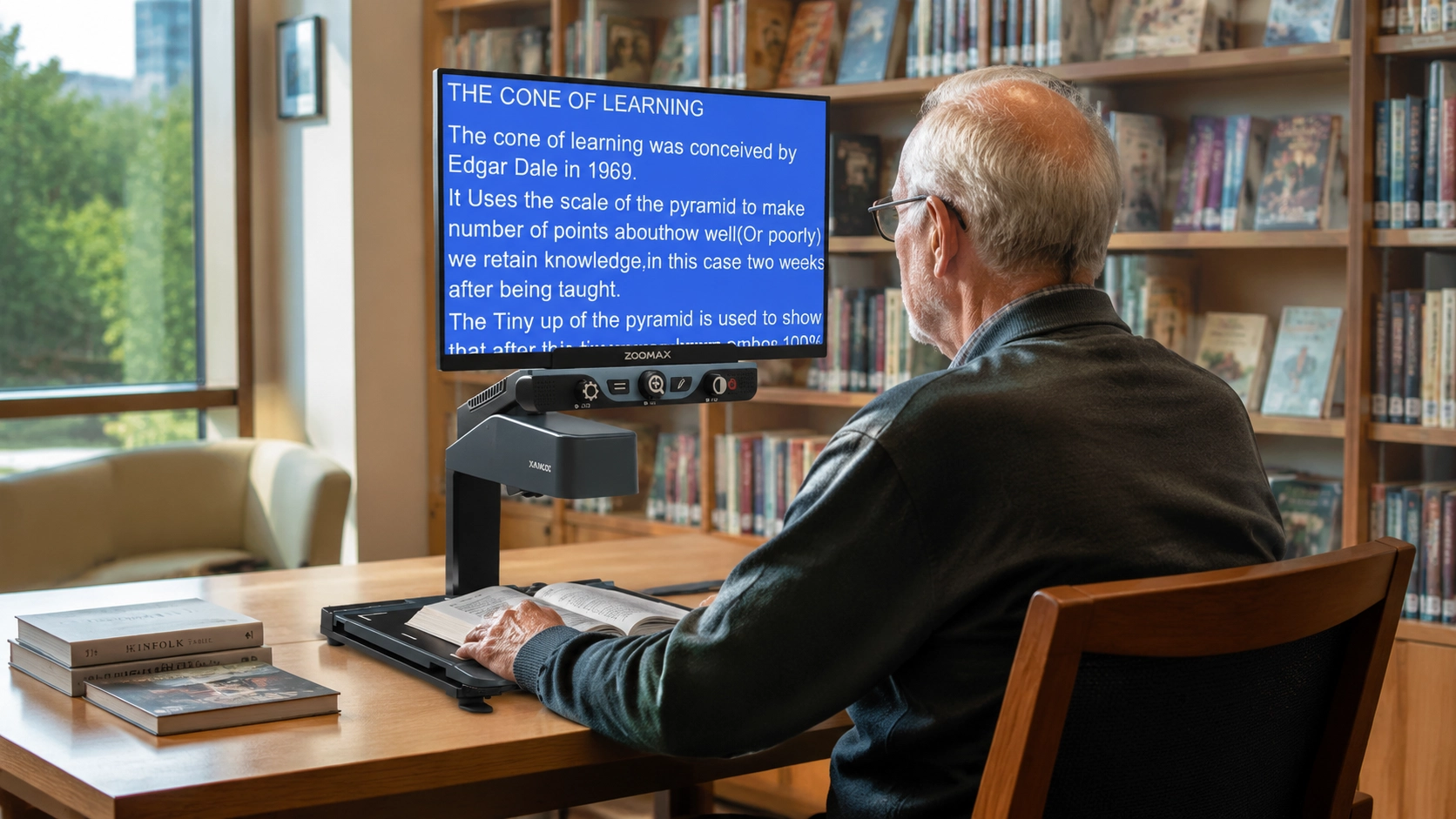
For libraries focused on traditional print collections—books, newspapers, periodicals, and archival documents—Luna HD 24 Pro stands as the reference-class solution. Designed and manufactured by Zoomax as a professional-grade full page desktop magnifier, it combines an expansive 24-inch Full HD LCD display with an optical zoom camera capable of 2.5× to 70× magnification.
Intuitive Design Tailored for Elderly Patrons
Beyond its technical prowess, Luna HD 24 Pro is purpose-built for the demographic that most frequently depends on library low vision workstations: elderly patrons. Its plug-and-play simplicity—operated via just three large tactile buttons—eliminates the learning curve that can intimidate older users unfamiliar with digital technology. The spacious 70cm×80cm working surface accommodates large-format materials, while the smooth XY table enables effortless navigation without requiring fine motor dexterity—a design consideration directly informed by the common comorbidities of aging, such as arthritis or tremor.
Uncompromising Privacy and Offline Security
Crucially, Luna HD 24 Pro operates entirely offline with no internet connection required, ensuring that patron privacy is never compromised by data transmission. The device stores no user data or reading history, making it an ideal choice for privacy-conscious institutions and patrons alike.
A Multi-Functional Station for Reading, Writing, and Community Activities
For library deployments, Luna HD 24 Pro excels across a broad spectrum of scenarios. The generous 17.5 cm clearance beneath the camera enables patrons to fill out forms, write checks, or annotate documents, transforming the device into an active productivity workstation. The customizable high-contrast color modes (true color + 20 presets) address the diverse needs of patrons with different eye conditions—whether macular degeneration, glaucoma, or diabetic retinopathy. Furthermore, it supports hobby activities such as sketching, crafting, and puzzle-solving, enabling low vision seniors to participate in library workshops on equal footing.
Snow Pad: The Digital-Native Reading and Writing Companion
Bridging the Gap Between Physical and Digital Resources
Modern libraries are increasingly hybrid environments where physical collections coexist with digital resources. For these scenarios, Zoomax Snow Pad offers a distinct form factor that bridges traditional magnification with tablet-based interactivity. Snow Pad is a foldable, portable magnifier that integrates seamlessly with consumer tablets (iPad or Xiaomi/Samsung Pad) to create a versatile workstation.
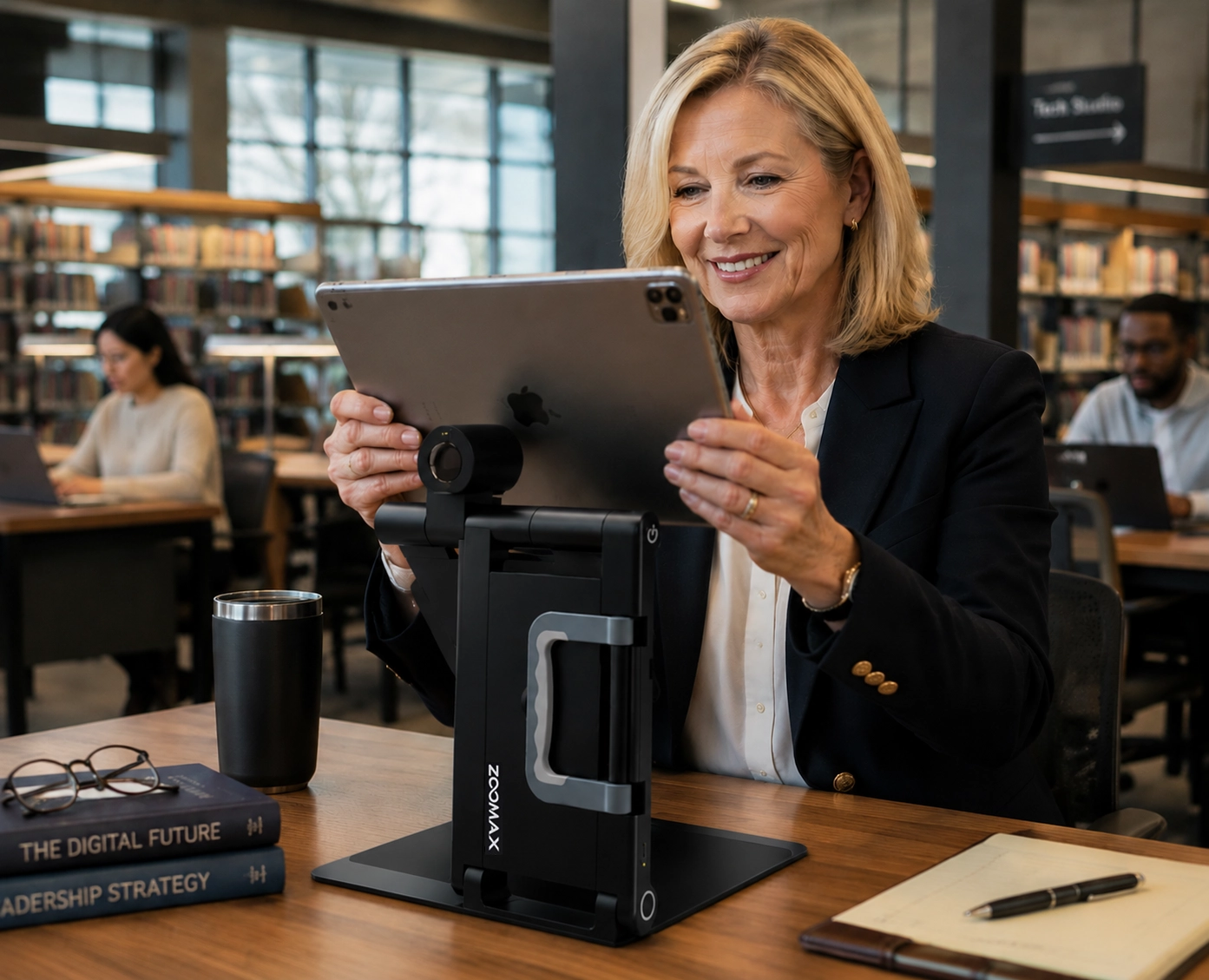
Snow Pad’s “bring-your-own-tablet” architecture further strengthens this bridge between the physical and the digital. Patrons connect their personal devices, install the companion app, and configure settings—preferred magnification level, color mode, font size—exactly to their liking. Those preferences are saved locally on their own tablet. When Patron A docks at any Snow Pad station across the library, the app instantly recalls her personalized configuration; when Patron B connects later, his entirely different settings load immediately, with no reconfiguration required. For libraries, this BYOD model translates into tangible advantages: hardware procurement and lifecycle management costs drop significantly because the institution does not need to purchase and secure a fleet of dedicated tablets for every workstation. Accessibility services can be extended across multiple zones—from reading rooms to study carrels—without multiplying hardware expenditure. The library provides the precision magnification platform; the patron brings the personalized interface. Together, they create a seamless, tailored experience that bridges institutional infrastructure and individual need.
Empowering a New Generation of Tech-Savvy Patrons
Snow Pad is purpose-built for the tech-savvy demographic: students, young professionals, and digitally literate seniors. Its tablet-driven interaction model—pinch-to-zoom gestures and touch-based annotation—speaks the language of modern users. Younger patrons experiencing vision loss due to conditions such as Stargardt disease or retinitis pigmentosa will find Snow Pad’s familiar form factor empowering rather than stigmatizing.
Sophisticated Connectivity with a Privacy-First Architecture
Snow Pad’s architecture is thoughtfully segmented to balance functionality and privacy. Core magnification functions operate fully offline with no internet required. For enhanced services, it can connect to the internet to unlock OCR text recognition and text-to-speech across 20 languages. Critically, even when connected, the device does not require user account registration, does not transmit reading history, and performs OCR processing locally on-device. Zoomax’s privacy framework ensures that patron data is treated securely and never transferred to third parties.
Maximizing Operational Efficiency Through Distance Viewing and Portability
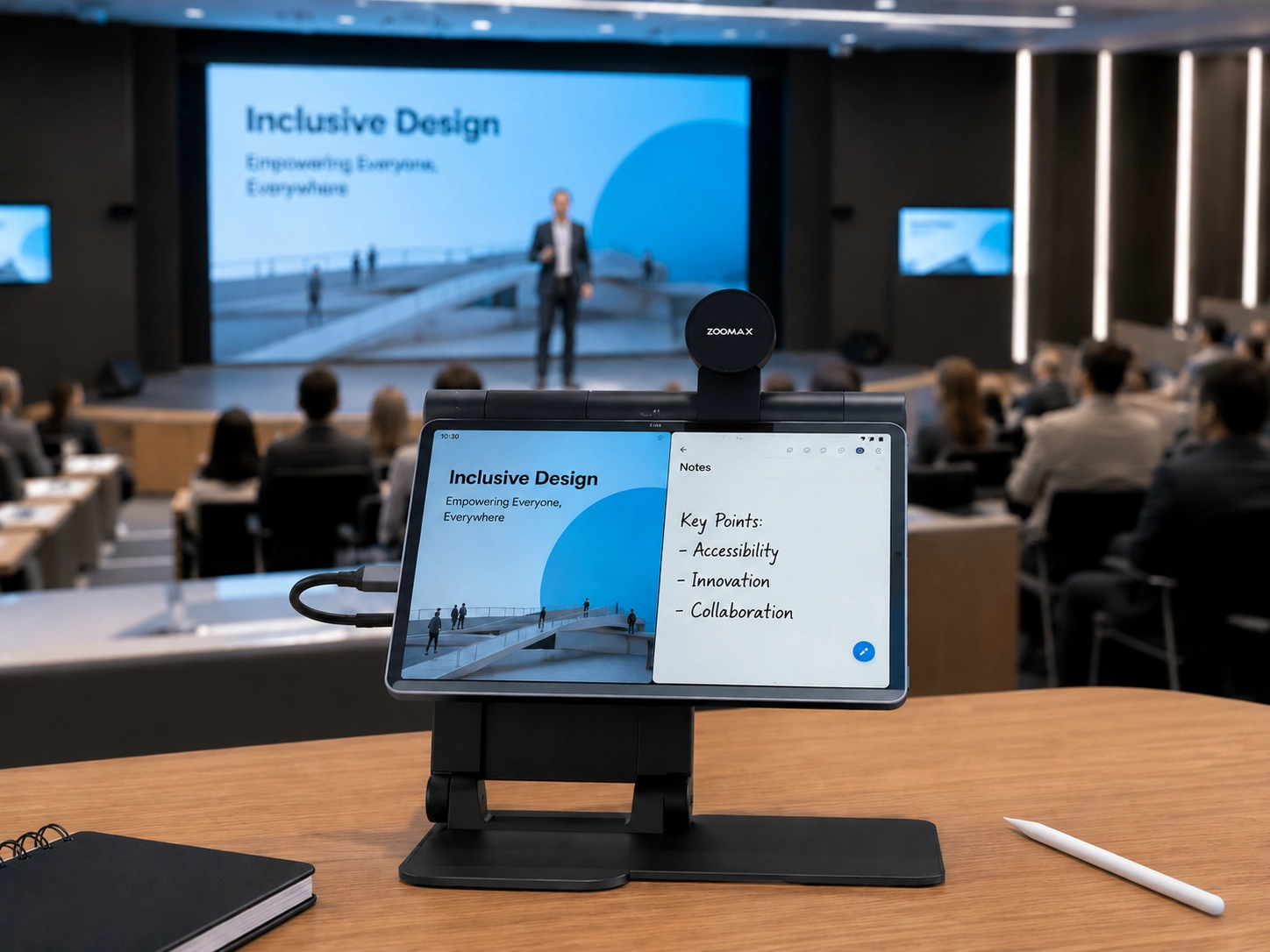
The built-in distance viewing lens with 7x optical zoom enables low vision patrons to fully participate in lectures, author talks, and community presentations. A patron can use the distance camera to magnify the speaker or slides while simultaneously taking notes using the split-screen function. For libraries, this translates into operational efficiency: the foldable design (2.4 kg) allows staff to move Snow Pad freely between library zones—from the auditorium to study carrels. In community reading rooms where patrons bring their own tablets, the easy-operated companion app transforms a personal device into a professional-grade magnifier, offering a cost-effective pathway to scale accessibility offerings.
Extending Complete Accessibility with Snow Pad Plus
For libraries that wish to offer fully integrated, turnkey solutions for patrons who do not own a compatible tablet, Zoomax will soon introduce the Snow Pad Plus—a complete workstation with a built-in high-resolution tablet. This all-in-one design ensures that every visually impaired visitor, regardless of personal device ownership, can access the full power of Snow Pad’s magnification, annotation, and text-to-speech capabilities. Snow Pad Plus reinforces the library’s commitment to leaving no patron behind, creating a scalable ecosystem where BYOD flexibility and dedicated hardware coexist to serve the broadest possible range of needs and budgets.
Product Technical Specification Comparison
Specification | Luna HD 24 Pro | Снежная площадка |
Form Factor | Fixed desktop workstation with integrated 24″ monitor | Foldable platform compatible with external tablet |
Magnification Range | 2.5×–70× | 1×–32×(Optical + Digital) |
Экран | 24″ Full HD (1920×1080) | Dependent on connected tablet |
Камера | Оптический зум-объектив, автофокус, 1920*1080 | Built-in 7× optical zoom, 1920×1080, auto-focus |
Цветовые режимы | 20+ modes (true color, high-contrast positive/negative, grayscale) | 10 high-contrast color modes + full color |
Primary Use Case | Extended reading of printed books, newspapers, documents | E-book reading, digital content, distance viewing, note-taking |
Writing Support | 17.5 cm writing height under camera | Near-view writing with dedicated writing board; Annotation on frozen images, file editing on tablet |
OCR / Text-to-Speech | Not supported | 20 languages |
Ideal Library Deployment | Dedicated accessibility reading room station | Flexible use across study carrels, group workspaces, and digital literacy programs |
ROI for Institutional Buyers
From a total-cost-of-ownership perspective, three factors make these devices particularly attractive for B2B library procurement:
Extended Product Lifecycle: Zoomax designs for longevity, not planned obsolescence. The 2-year warranty and global service network ensure that procurement officers are not dealing with consumer-grade replacement cycles.
One Device, Many Users: Both Luna HD 24 Pro and Snow Pad accommodate a broad spectrum of conditions—macular degeneration, glaucoma, diabetic retinopathy, and cataracts—with their extensive color mode libraries and magnification ranges. One workstation serves an entire community.
Reduced Staff Burden: The plug-and-play design philosophy means reference librarians spend less time troubleshooting equipment and more time helping patrons. The intuitive tactile interfaces reduce the need for one-on-one device training sessions.
A View from the Field
“Before we installed the Zoomax workstations, our low vision patrons depended almost entirely on our small collection of large-print books—which, frankly, limited their choices to a handful of titles each week. Since adding the Luna HD 24 Pro in our reading room, we’ve watched longtime patrons rediscover the simple pleasure of browsing the daily newspaper independently. One gentleman, a retired teacher with advanced macular degeneration, told our staff he hadn’t read a full-page article without assistance in nearly eight years. That kind of impact simply cannot be captured on a balance sheet. For our community, these devices have turned the library from a place they felt excluded from into the heart of their daily routine.”
— Maria Gonzalez, Director of Community Services, Oakwood Public Library
The experience at Oakwood reflects a broader trend among public libraries that have deployed dedicated low vision workstations. In a survey conducted across 12 municipal library systems post-deployment, patron usage of accessibility resources increased by 65%, driven largely by word-of-mouth referrals within the vision-impaired community. More tellingly, overall patron satisfaction scores among low vision users rose by 50% within the first six months of installation, with respondents specifically citing independence of use and the ability to read materials beyond the large-print collection as primary drivers of satisfaction. This dual impact—quantifiable outcomes alongside immeasurable human transformation—defines the total ROI that Zoomax devices deliver to institutional buyers.
Conclusion: Building an Inclusive Future with Zoomax
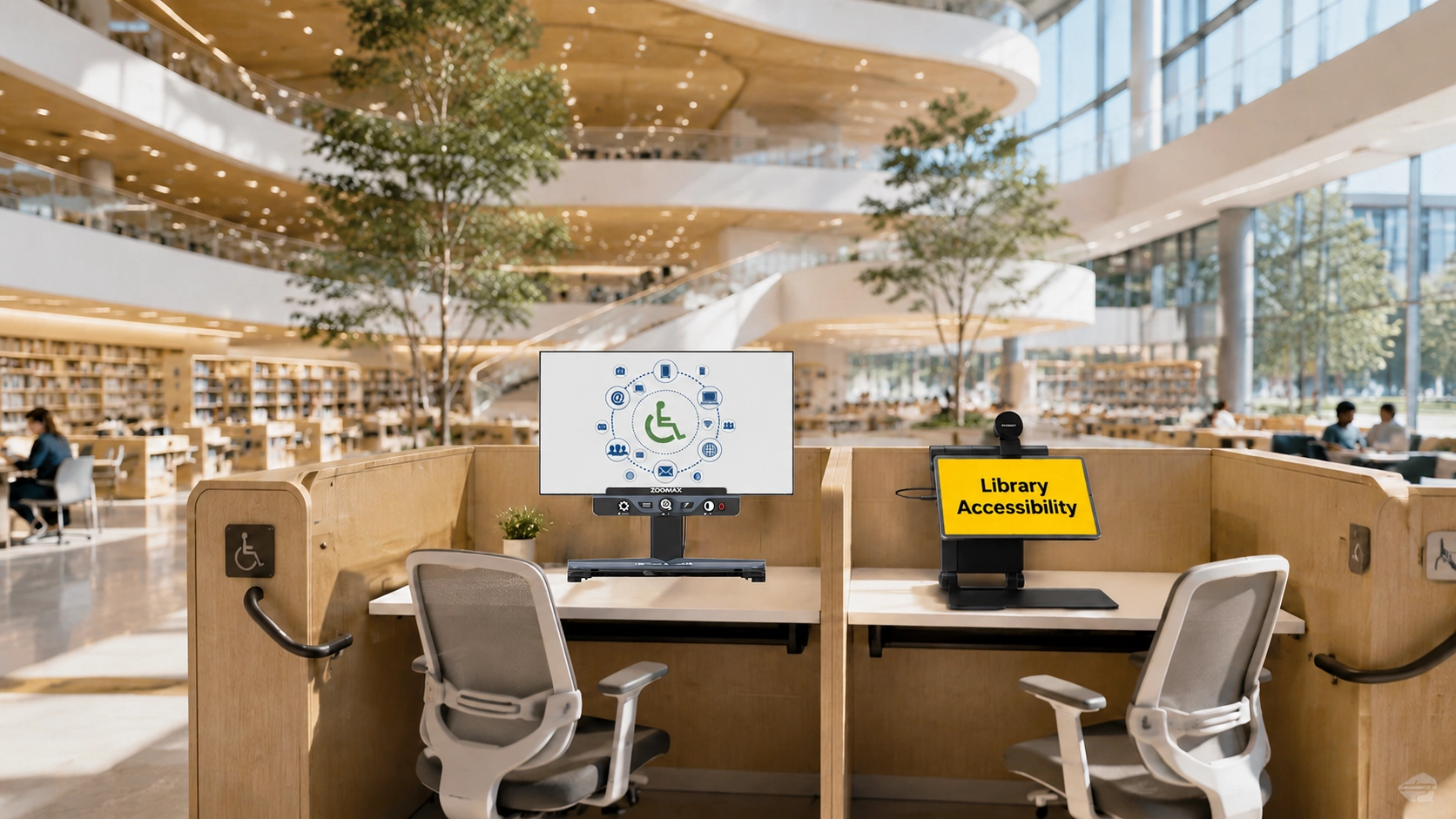
In the B2B sector, “accessibility” should be viewed as an investment in human capital and institutional reputation. By selecting ADA compliance for libraries solutions that prioritize both the user experience and the buyer’s operational needs, library directors can ensure their institutions remain relevant in a diverse society.
As one of the leading low vision aids suppliers and manufacturers, Zoomax is committed to being more than a vendor; we are a long-term partner providing robust global after-sales support and industry-leading ROI. Let us help you turn your public space into a truly inclusive sanctuary of knowledge.