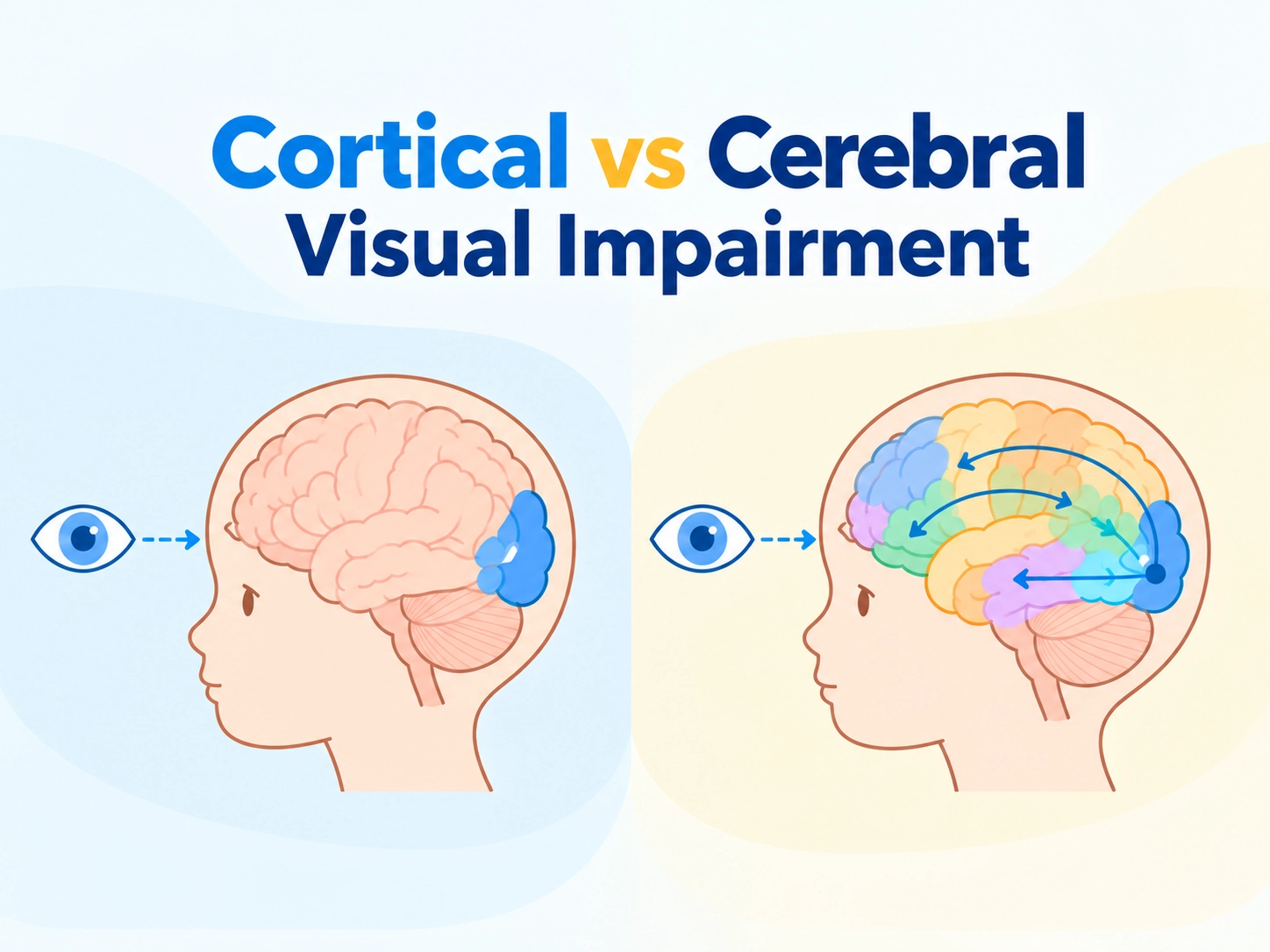
The Macro Trend: Consumerization of Assistive Technology and the Rise of Tablet-Based Platforms
Over the past decade, tablets have evolved from consumer electronics into mainstream computing devices widely deployed across both education institutions and enterprise environments. According to industry analysis from IDC, tablets continue to play a significant role in global device strategies for K-12 schools, higher education institutions, and corporate workplaces, particularly in mobile learning, information access, and productivity workflows. This dual-sector adoption has accelerated the integration of tablet-based assistive technologies in both classroom and professional settings.

This widespread availability of consumer-grade hardware has accelerated a structural shift in the assistive technology industry—from proprietary hardware systems toward low vision tablet-based magnification ecosystems.
Three major forces are driving this transition:
First, modern tablets provide sufficient GPU performance, camera quality, and accessibility APIs to support real-time magnification, OCR, and text-to-speech without dedicated hardware processors.
Second, institutional buyers such as schools and rehabilitation centers increasingly prioritize lower lifecycle cost and easier maintenance, favoring software-upgradable systems over closed hardware.
Third, users increasingly expect assistive technology devices for low vision to operate like familiar consumer electronics, shed the stereotypical appearance of “medical devices” and adapt to mobile use across various settings. This has further driven the adoption of portable digital magnification solutions built on mainstream platforms.
Technical Benchmarking: How Modern Tablet Magnifiers Are Evaluated
A meaningful evaluation of a tablet magnifier system requires a multidimensional framework rather than a single specification comparison.
Key dimensions include:
- Optical input quality (camera resolution and stability)
- System latency (real-time responsiveness)
- OCR accuracy and processing speed
- Software ecosystem compatibility (iOS / Android / Windows)
- Long-duration operational stability
These factors directly impact usability in real-world environments such as classrooms, lecture halls, and professional workplaces where such visual impairment aids are deployed. In the following sections, we take a close look at three of the market’s most recognized tablet magnifier systems—each frequently cited by low-vision users and institutions as a best tablet screen magnifier candidate for different needs and workflows.
HumanWare Connect 12: Navigating the Android-Based Educational Ecosystem
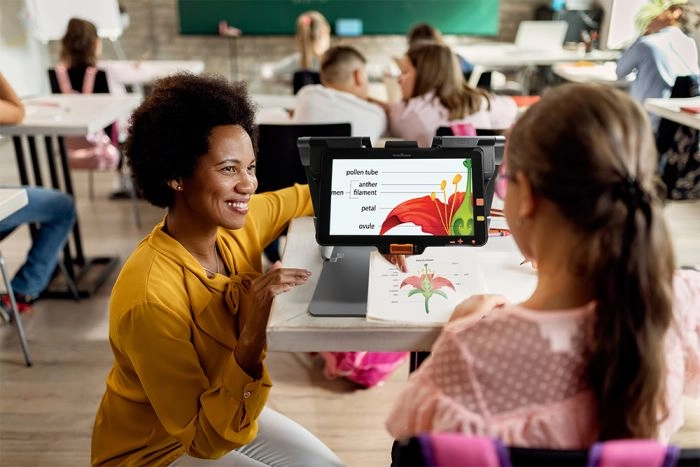
HumanWare Connect 12 product image © HumanWare
HumanWare Connect 12 is an Android-based portable video magnifier that combines HD magnification, OCR, text-to-speech, and tablet functionality in one device. With its 11.6-inch touchscreen, adjustable contrast modes, and optional distance viewing capabilities, it provides a practical solution for reading, studying, and accessing digital content.
With years of presence in the low vision market, Connect 12 has established itself as a reliable accessibility platform, particularly among users who value a familiar tablet-style experience and integrated educational features. However, as newer generations of electronic magnifiers continue to emerge, users who prioritize faster response times, smoother operation, quicker focusing, and enhanced image quality may want to compare Connect 12 with more recently developed solutions.
For schools and individuals looking for a proven and feature-rich device, Connect 12 remains a strong option. However, users seeking a more modern hardware experience with upgraded imaging performance may find newer tablet magnifier designs better aligned with their expectations.
TrySight Mercury 13: The Intersection of Windows OS Power and Desktop Productivity
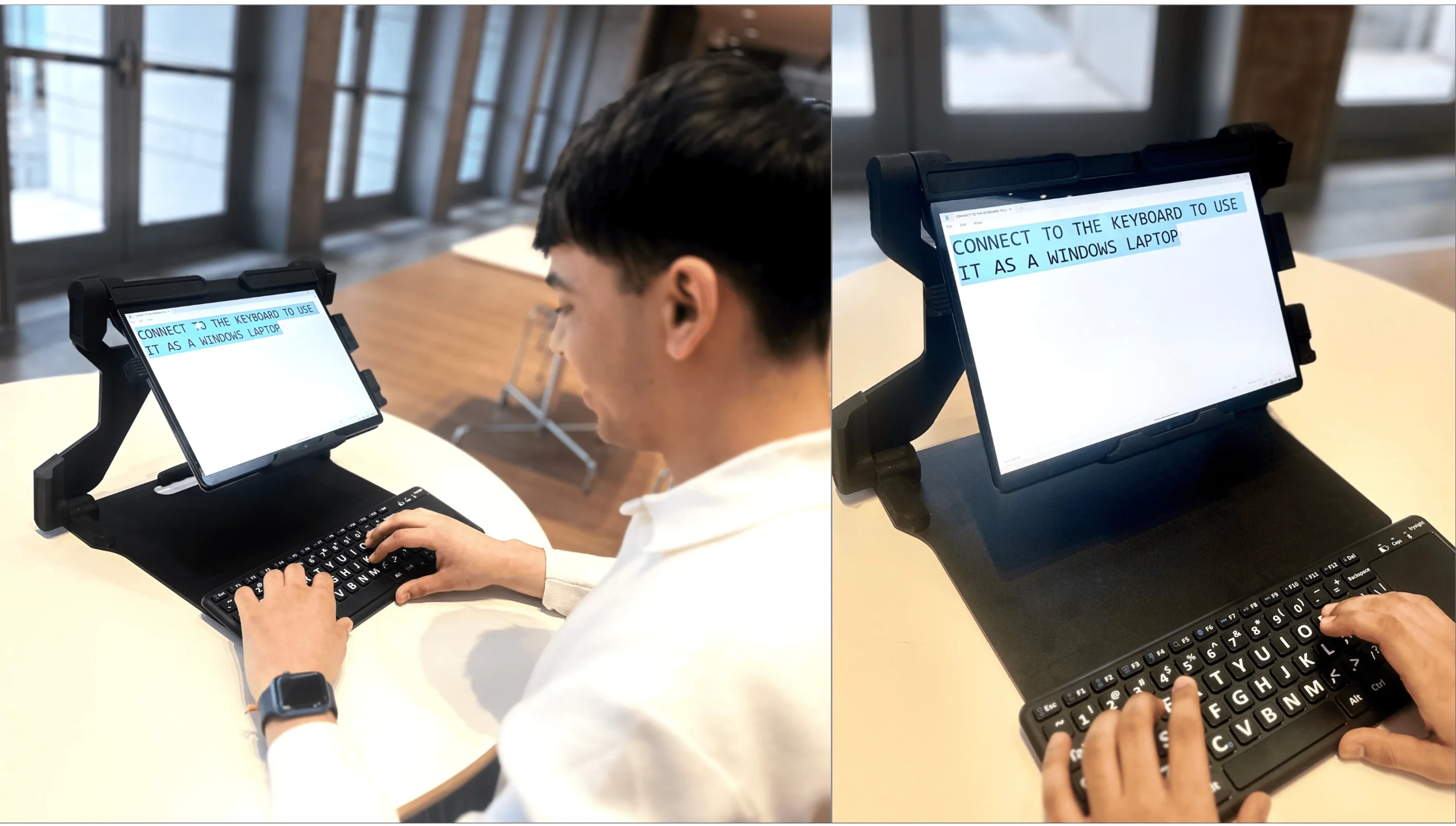
TrySight Mercury 13 product image © TrySight
TrySight Mercury 13 combines a low vision magnification system with a Windows-based tablet computer, offering access to familiar applications, OCR, document viewing, and productivity tools. Its design allows users to switch between magnification tasks and standard computer workflows, making it suitable for students, professionals, and users who rely heavily on Windows software.
The biggest advantage of Mercury 13 is its Windows ecosystem compatibility, which can be valuable for users who need access to Microsoft applications, specialized software, or existing workplace workflows. However, the flexibility of a full computer system may also introduce additional complexity in setup, maintenance, and daily operation compared with more streamlined accessibility devices.
In addition, Mercury 13 is positioned as a premium low vision computer system, which may make it a higher-cost option for some low-vision users. Those looking for a more straightforward experience focused on fast visual access, portability, and ease of use may prefer comparing it with newer-generation tablet magnifier solutions.
Zoomax Snow Pad — High-Fidelity Visual Engineering on a Flexible Tablet Ecosystem
Zoomax Snow Pad is designed not simply as a standalone assistive device, but as a flexible tablet-based visual enhancement platform that combines Zoomax optical technology with the computing power and familiarity of modern tablets.
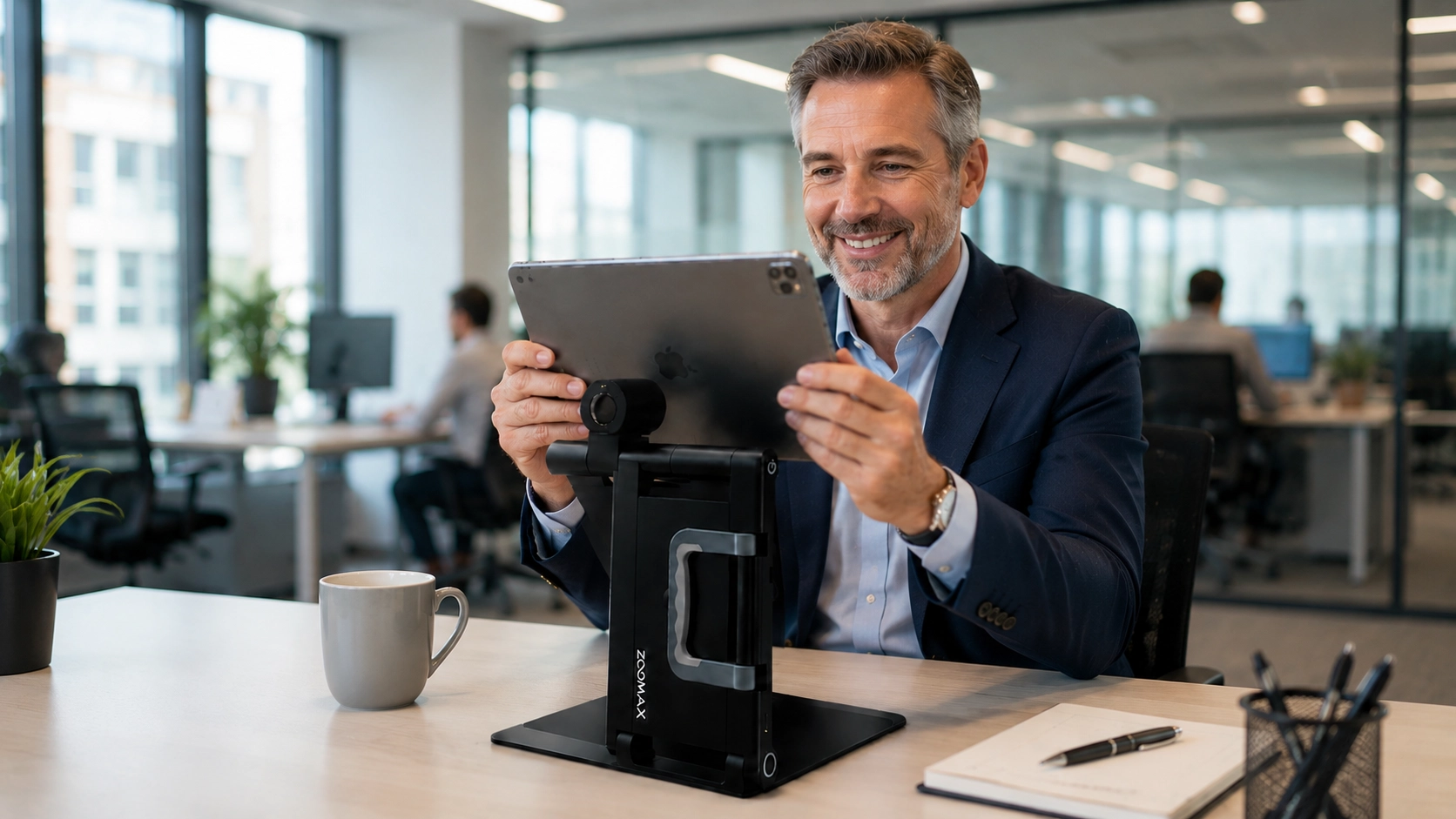
Unlike closed-system assistive devices, Snow Pad adopts a bring-your-own-device (BYOD) architecture, allowing schools, universities, and enterprises to integrate existing tablets into the system rather than relying on fixed proprietary hardware.
This approach provides important advantages for institutions seeking affordable solutions for visual impairment, including improved hardware flexibility, reduced lifecycle costs, and easier technology upgrades as tablet ecosystems continue to evolve.
1. Flexible Hardware Architecture and Lower Total Cost of Ownership
One of Snow Pad’s key advantages is its modular tablet-based architecture. Compared with integrated systems where the display, operating system, and assistive hardware are combined into one device, Snow Pad separates the optical system from the tablet platform.
This approach allows institutions to:
- Utilize existing compatible tablets already available within schools or organizations
- Upgrade tablets independently as technology evolves
- Reduce replacement costs when refreshing hardware fleets
- Support multiple users through flexible tablet deployment strategies
For schools and organizations managing multiple assistive devices, this model can provide a more sustainable pathway for expanding accessibility programs while controlling long-term investment costs.
2. A More Modern User Experience with Advanced Visual Performance
Low vision technology continues to evolve beyond basic magnification toward faster, clearer, and more natural visual interaction. While established devices such as HumanWare Connect 12 provide a reliable accessibility platform, users comparing newer-generation solutions may also consider factors such as focusing speed, image processing performance, and overall responsiveness.
Snow Pad is designed around modern visual engineering, featuring a high-definition camera system, autofocus capability, and optimized image processing to deliver a smoother viewing experience for reading, distance viewing, and classroom activities.
For students and professionals who spend extended periods reading, writing, or switching between near and distance tasks, these improvements can contribute to a more efficient and comfortable workflow.
3. Seamless Multi-Mode Viewing for Learning and Professional Environments
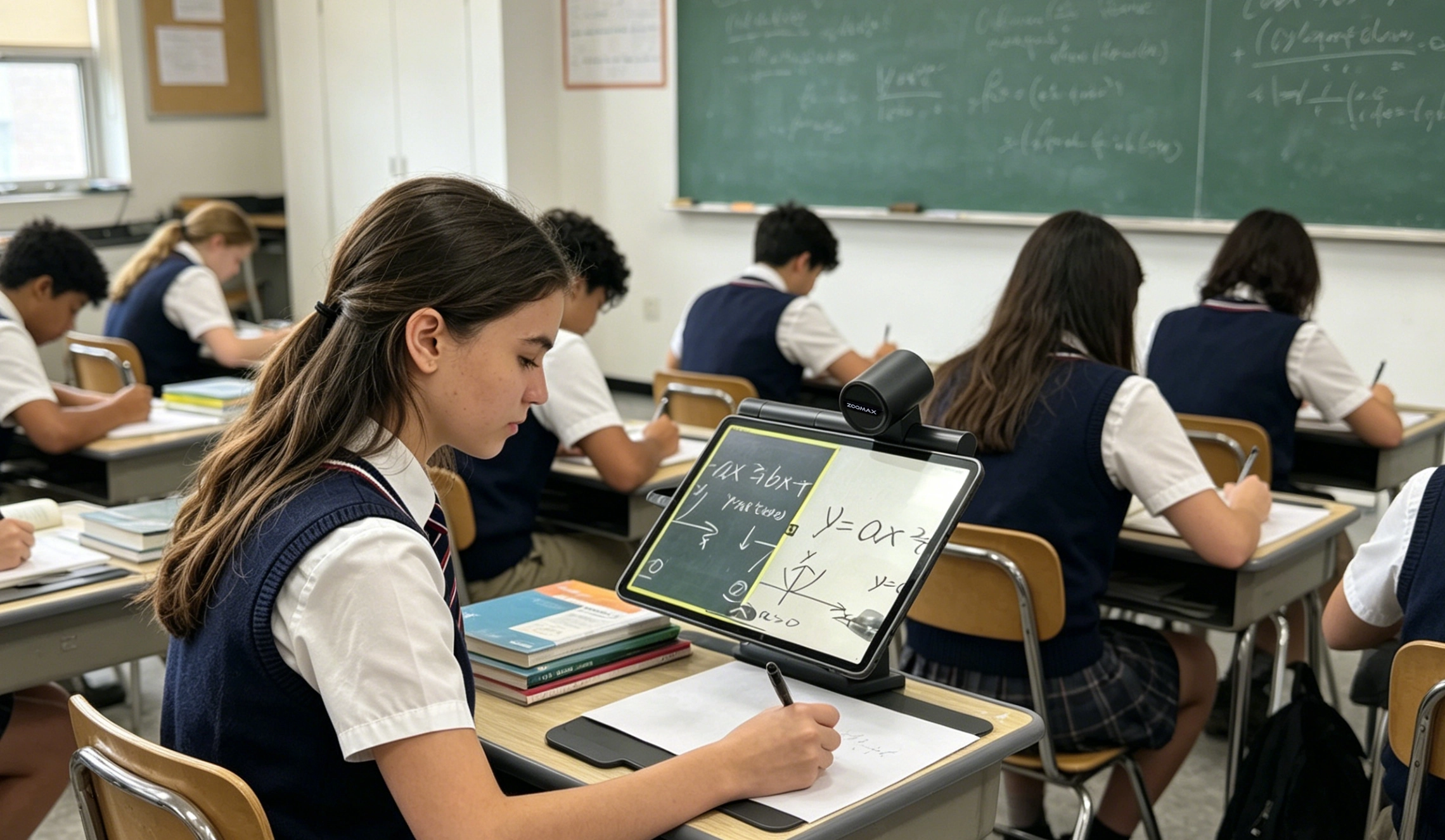
One of Snow Pad’s key differentiators is its highly optimized split-view and multi-mode visual system, which allows simultaneous:
- Near viewing (documents, books, worksheets)
- Distance viewing (blackboard, presentations, environment)
- App split-screen functionality based on the tablet ecosystem
This reduces the need for frequent visual reorientation, helping to minimize eye strain and cognitive fatigue, especially for students and professionals who rely on extended screen use throughout the day.
4. Simplified Operation Compared with Complex Computing-Based Systems
Some advanced low vision platforms provide extensive computing capabilities by integrating full operating systems and professional software environments. While this flexibility can benefit users with specific requirements, it may also involve additional configuration, maintenance, and technical support.
Snow Pad focuses on delivering essential assistive vision functions through a streamlined tablet experience. By combining magnification, OCR, text-to-speech, and visual adjustment tools within a familiar tablet interface, it provides an easier learning curve for students, employees, and organizations seeking efficient accessibility solutions.
For users who prioritize straightforward operation, portability, and fast access to visual information, Snow Pad offers a balanced alternative between traditional electronic magnifiers and more complex computer-based systems.
5. A Scalable Assistive Vision Solution for the Future
Compared with fixed-function accessibility devices, Snow Pad represents a shift toward a more adaptable model of low vision technology.
Its combination of:
- Flexible tablet compatibility
- Reduced hardware dependency
- Modern visual performance
- Streamlined user experience
- Scalable deployment options
makes it suitable for individuals and institutions looking for affordable, future-ready solutions for visual impairment.
Rather than being limited to a single-purpose magnifier, Snow Pad functions as an adaptable visual accessibility platform designed to support education, workplace participation, and independent living in an increasingly digital world.
Institutional Evaluation Matrix: Tablet Magnifier Platforms
Zoomax Snow Pad vs HumanWare Connect 12 vs TrySight Mercury 13
Core Evaluation Dimension | Zoomax Snow Pad | HumanWare Connect 12 | TrySight Mercury 13 |
Platform & Ecosystem | Apple iPad (Primary) / Android (Xiaomi & Samsung) | Custom Android | Microsoft Windows 11 (Surface) |
Near Camera | Uses the tablet’s native camera together with Zoomax image processing technology | Integrated CCTV camera module 13mp ultra-HD Live 1x – 40x / capture or image 1x to 80x | Integrated CCTV camera module HD camera 20X optical zoom @ 60 Fps |
Distance Camera | Built-in Auto focus, optical zoom 7X, 1920×1080, full HD | Optional 10×/25× Optical Zoom | Optional 20X zoom |
OCR Capability | Advanced, multi-language OCR with highly responsive reflow and navigation | Integrated, functional OCR optimized for educational material | A whole A4 page OCR and full compatibility with third-party screen readers |
OCR Accuracy | High accuracy across printed and digital text | Reliable accuracy on standard print materials | High accuracy; enhanced by Windows-native OCR engine |
Text-to-Speech | Built-in, responsive TTS with natural-sounding voice options | Integrated TTS for reading aloud recognized text | Full TTS compatibility with JAWS, NVDA, and Windows Narrator |
Battery life | About 5 hours of everyday use | About 7 hours for tablet use; about 4.5 hours with the reading stand and built-in light | Up to 8 hours for mobile laptop-style use |
Primary B2B Use Case | Multi-disciplinary: Clinical rehab, education, professional productivity, with high-fidelity vision performance | Targeted education; linear reading and worksheet-based tasks | Demanding corporate, legal, and engineering professional environments |
IT Deployment & MDM | Leverages Apple Business Manager/Android Enterprise for zero-touch deployment | Custom Android; MDM capabilities to be verified with vendor | Fully compatible with Microsoft Intune and standard enterprise PC lifecycle management |
Hardware Serviceability | Global AppleCare/service center support infrastructure | Proprietary warranty and service process | Global Microsoft Surface commercial warranty and support |
Future Direction: AI-Powered Assistive Intelligence
The current generation of tablet magnifiers has effectively solved the problem of optical magnification. The next frontier is cognitive assistance—moving from simply making things bigger to making things understandable. We are entering an era where an ai assistant for visually impaired users will be a native, embedded feature, not a third-party app.
Imagine pointing your portable digital magnifier not just at a can of food, but at an entire pantry shelf, and having it speak aloud the names of the items. Or entering a conference room and having the device discreetly describe the number of people present and their spatial arrangement through a connected earpiece. This requires on-device, multi-modal AI that processes visual, textual, and spatial data in real-time, with no cloud latency for critical tasks.
Zoomax is actively pioneering this convergence. The upcoming Snow Pad Pro will feature a built-in, privacy-first AI engine designed for instantaneous object recognition and scene description. Furthermore, cloud synergy will allow low-vision users to seamlessly sync personalized vision settings, OCR history, and even trained object models across their personal ecosystem of devices, ensuring a consistent experience whether at home, on campus, or in transit.
Why Zoomax Leads the Tablet-Based Assistive Ecosystem
In a landscape of low vision aids, Zoomax Snow Pad emerges as the comprehensive, future-ready platform for maximizing user productivity. Unlike platforms that excel in a single domain—be it education or professional Windows integration—Snow Pad’s iPad-centric architecture offers an unparalleled combination of industry-leading visual fidelity, fluid performance, and a vast ecosystem of mainstream and assistive applications.
For our global partners, Zoomax is more than a low vision aid supplier and manufacturer. We are a strategic, long-term low-vision solutions partner. This commitment is defined by:
- Product Leadership: Our deep R&D investment in proprietary image processing algorithms and on-device AI ensures your clients have access to one of the most advanced tablet magnifier technologies available today.
- Global Scalability and Support: By harnessing the world’s most reliable supply chains and device management ecosystems (Apple & Android), we empower distributors and institutions with turnkey global deployment, drastically reducing logistical complexity and TCO.
- Partnership-Driven Innovation: We collaborate with universities, educators, and corporate accessibility teams to align our product roadmap with your evolving educational and workplace needs, ensuring that your feedback directly shapes future generations of our technology.
We invite you to move beyond transactional procurement and towards a strategic alliance. Discover how the Zoomax Snow Pad can elevate your product offering, empower your clients, and future-proof your institution’s or enterprise’s assistive technology program.