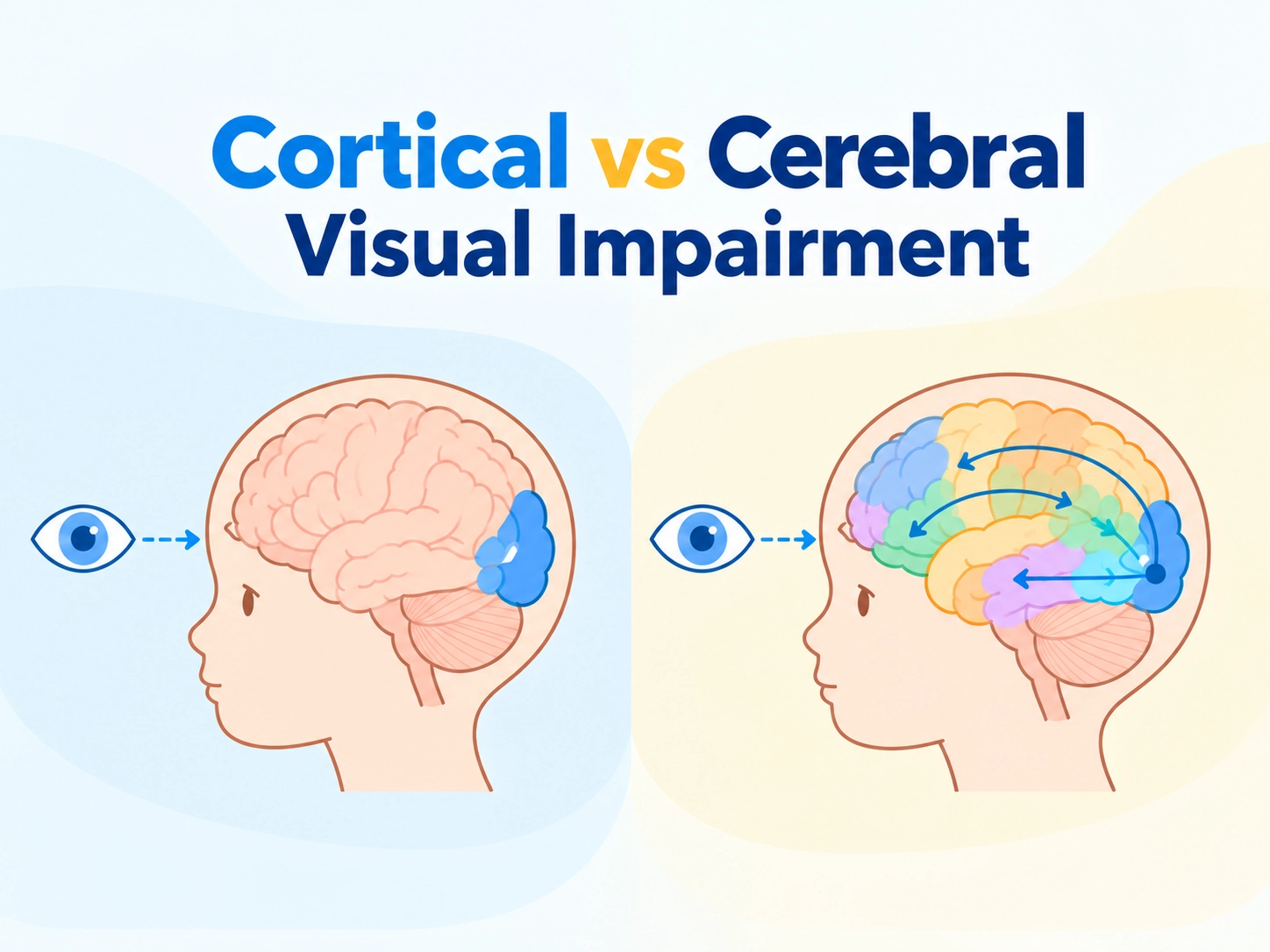
Age-related macular degeneration (AMD) remains a leading cause of central vision impairment in older adults. Beyond reduced visual acuity, it profoundly affects sustained visual tasks. For many patients, the core challenge is not merely seeing text but maintaining reading endurance — the ability to engage with printed or digital materials for extended periods without rapid fatigue.

This shift in understanding drives innovation in low vision aids for macular degeneration. Rehabilitation professionals and distributors increasingly prioritize solutions that enhance functional reading quality and endurance, not just magnification.
Why Traditional Optical Magnifiers Often Fail AMD Readers
Traditional optical magnifiers provide enlargement but frequently fall short for AMD patients. Fixed lighting, limited contrast control, and small fields of view contribute to glare, reduced edge definition, and eye strain during prolonged use. Patients often report needing frequent breaks, which disrupts flow and increases cognitive effort.
These limitations become evident in rehabilitation settings, where sustained reading supports independence in daily activities, education, or work.
Optical vs Digital Magnifier Comparison for Macular Degeneration Reading Fatigue
Click to watch the official Zoomax video below to gain an in-depth understanding of the differences between optical magnifiers and electronic visual aids.
The Science of Reading Fatigue in AMD and Low Vision Rehabilitation
Recent research highlights the strong link between visual impairment and cognitive overload. Adults with visual impairment, including those with AMD, expend significantly more cognitive resources for visual processing and text recognition. This heightened demand is positively associated with fatigue severity, affecting concentration, reading endurance, and overall well-being.
Cognitive load rises as the brain compensates for central scotomas and distorted vision, making sustained reading more effortful. Effective low vision rehabilitation strategies focus on reducing this load through optimized visual input.
Why Contrast Enhancement Matters More Than Magnification
For AMD patients, higher magnification does not always translate to better reading comfort or speed. Studies show that while magnification improves access to detail, contrast enhancement often proves equally or more critical for reading efficiency, especially in low-contrast real-world materials.
Key factors include:
- Edge clarityfor sharper letter definition
- Anti-glare optimizationto minimize reflections
- Customizable color modesto match individual residual vision preferences
These elements reduce visual search time and cognitive demand, supporting longer reading sessions with electronic magnifier for macular degeneration solutions.
How Large-Screen Reading Devices for Macular Degeneration Reduce Visual Fatigue
Modern large-screen solutions help improve reading endurance, as supported by recent outcome mapping in low-vision rehabilitation. By delivering high-contrast, glare-reduced images on expansive displays, they enable more natural reading postures and wider fields of view.
Modern low vision rehabilitation emphasizes personalization. AMD patients exhibit varied needs regarding brightness, contrast polarity, and color filtering. Features like split-screen viewing and distance viewing further support participation in classrooms, document review, or group activities.
In special education and rehabilitation centers, these tools facilitate inclusive learning and therapy by combining near and distance capabilities.
Professional Tip for B2B Partners
When evaluating devices for your clients, prioritize systems with extensive color mode options (20+) and ergonomic designs that support both near and distance tasks. Training on customizable settings can dramatically improve user adoption and satisfaction.
Zoomax Assistive Technology Solutions for AMD Reading Rehabilitation
Zoomax offers a range of devices specifically designed to address reading endurance challenges in AMD. Each device complies with international quality standards and certifications, ensuring reliability for long-term rehabilitation programs.
Zoomax Luna 8: Portable Reading Endurance
Zoomax Luna 8 is a handheld digital magnifier designed for AMD patients who need reliable visual support throughout the day — whether at home, in a café, at the library, or during travel. Weighing just 500 grams (1.1 lbs) and equipped with an 8-inch HD screen (1280×800 resolution), Luna 8 provides substantially more visible text per frame than smaller 5-inch devices, reducing the constant panning that contributes to reading fatigue. Its 13-megapixel autofocus camera delivers clear, jitter-free images with 10 customizable high-contrast color modes, allowing each user to find the combination that maximizes their residual contrast sensitivity.
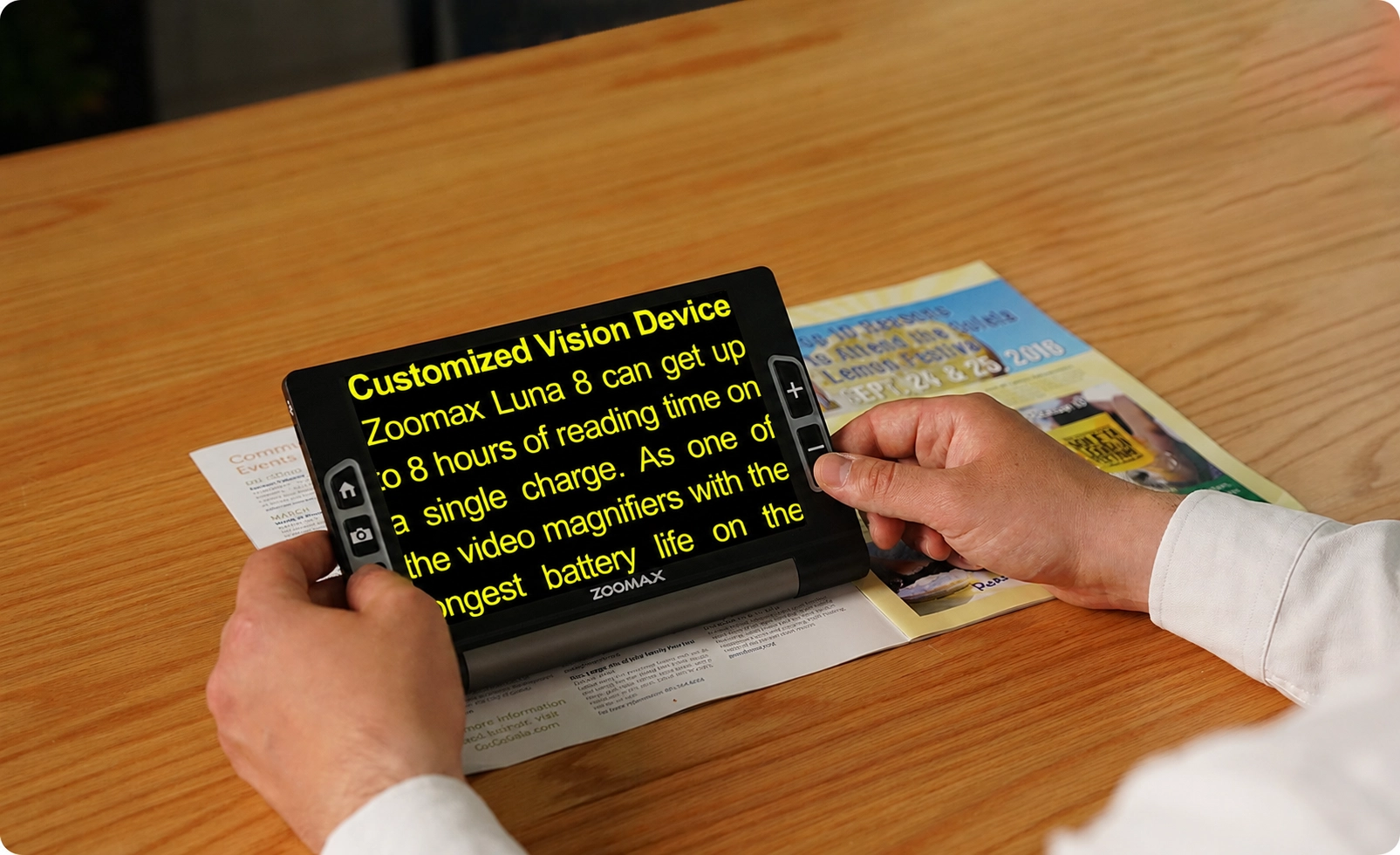
A defining feature is the 8-hour continuous battery life — unmatched among devices in its class — which means patients can use the device throughout an entire day without worrying about recharging. This reliability is essential for users who depend on their magnifier for both spontaneous and in-depth reading tasks, from reviewing a restaurant menu to diving into a novel. The Luna 8’s large tactile buttons, with distinct height differences, make it accessible even for elderly users with tremor or reduced tactile sensitivity. For distributors and rehabilitation centers, the Luna 8 represents a versatile, entry-to-mid-level solution that combines portability with the screen size and battery endurance that AMD patients require for sustained daily use.
Zoomax Snow Pad: Reducing Task-Switching Fatigue in Education and Rehabilitation
AMD-related reading fatigue is often intensified by the cognitive effort of shifting between near and far tasks — for instance, alternating between a whiteboard and printed notes. Zoomax Snow Pad addresses this with a tablet stand and high-definition distance camera that work with the user’s own tablet via Snow Pad App. The system provides stable near reading, distance viewing, and digital content access on a single screen, eliminating the need to hand-hold a magnifier or constantly refocus.

Split-screen viewing and seamless mode switching reduce the visual attention shifts that drain cognitive resources during sustained reading. Integrated OCR with text-to-speech further extends reading endurance: when visual decoding becomes fatiguing, printed material can be listened to, preserving comprehension without pushing the visual system beyond its limit.
For rehabilitation centers and special schools, the bring-your-own-tablet model helps manage hardware costs while delivering a multi-distance, multi-function low vision aid built around the reading endurance and flexibility that modern AMD care demands.
Zoomax Luna HD 24 Pro: Maximizing Visible Text for Advanced AMD
For patients with moderate to advanced AMD, central scotomas can be large and dense enough that only a few letters — or none at all — fall within the intact visual field at standard print sizes. In these cases, a small-screen magnifier forces constant, exhausting horizontal and vertical scrolling just to assemble a single word. CCTV low vision aids are increasingly recognized in clinical and rehabilitation environments as part of broader assistive technology systems that help visualize real-world use cases like this, where usability and readability matter as much as magnification. Luna HD 24 Pro delivers the large 24-inch high-definition display that many consider the best reading device for macular degeneration in desktop category. At equivalent magnification, the Luna HD 24 Pro keeps substantially more text visible in a single frame, allowing the user to perceive whole words and even short phrases without repositioning. This is a critical threshold for reading fluency and directly answers the common question: can you read with macular degeneration when equipped with proper assistive technology.
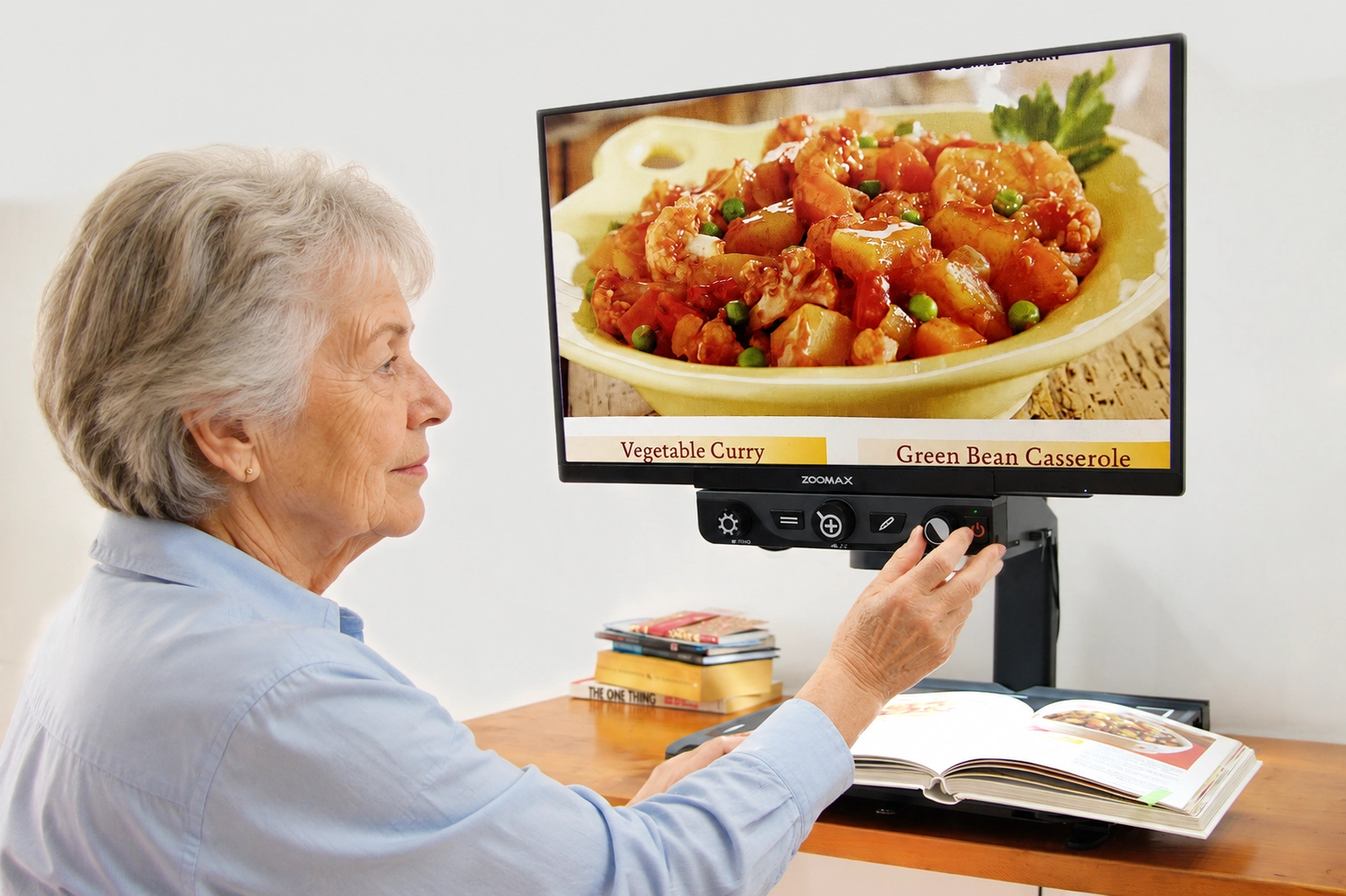
The XY table, autofocus camera, and adjustable contrast and brightness settings ensure that the large, sharp image remains stable and comfortable over extended sessions. For rehabilitation centers serving patients with profound vision loss, the Luna HD 24 Pro delivers the screen real estate these users depend on to sustain functional reading in daily life.
Technical Specifications Summary
Feature | Luna 8 (Handheld) | Snow Pad (Portable) | Luna HD 24 Pro (Desktop) | Typical Benefit for AMD Users |
Magnification Range | 2.5x – 19x | 1x – 32x | 2.5x – 70x | Flexible access to detail |
Screen / Display | 8-inch HD (1280×800) | Compatible with tablet (HD) | 24-inch Full HD (1920×1080) | Larger screen reduces fatigue |
Color Modes | Full color + 10 high contrast | Full color + 10+ high contrast | True color + 20 modes | Personalized contrast optimization |
Camera | 13MP Auto-focus | 7x optical zoom, Auto-focus, 60 FPS | Optical zoom, Auto-focus | Sharp image with minimal glare |
Battery Life | Up to 8 hours | Approx. 5 hours | Plugged-in (continuous use) | Extended reading endurance |
Key Functions | Portable reading | Split-screen, distance camera, OCR | XY table, reading line/mask, split-screen | Supports prolonged sessions |
Weight | 500g (1.1 lbs) | Approx. 2.4 kg (without tablet) | Approx. 15 kg | Portability vs. stability |
Best For | On-the-go, daily tasks | Classroom, rehabilitation, versatility | Professional rehab centers, sustained desktop reading | Reduced cognitive load |
What Distributors and Rehabilitation Centers Should Look for in Next-Generation AMD Devices
From a B2B procurement perspective, effective AMD low vision aids must offer:
- Multi-disease adaptability: Devices suitable for various macular and retinal conditions.
- Ease of use: Low learning curve for patients and staff.
- Long-term reliability: Robust build quality for frequent use in clinics or schools.
- Clinical integration: Ability to support individualized rehabilitation protocols.
Investing in devices like desktop video magnifiers and portable digital video magnifiers strengthens a distributor’s portfolio, enhances patient outcomes, and supports long-term partnerships with rehabilitation centers.
Professional Tip: Evaluate devices based not only on magnification but on contrast performance, ergonomics, and software flexibility to optimize reading endurance.
The Future of AMD Care Will Be Measured by Reading Quality — Not Just Visual Acuity
For too long, success in AMD management has been defined by numbers on a chart — visual acuity scores, OCT measurements, anti-VEGF injection counts. These metrics matter, but they are incomplete. A patient whose visual acuity remains stable may nonetheless be losing the ability to read, to work, to learn, and to engage with the information-rich world around them. The gap between seeing and reading comfortably is where quality of life is won or lost.
The emerging frontier in AMD care is a shift toward measuring outcomes that patients themselves experience daily: reading speed and fluency, reading endurance, comprehension accuracy, and the subjective sense of effort or fatigue associated with visual tasks. Reading quality encompasses all of these. It is not enough to ask whether a patient can read with macular degeneration; the right question is whether they can read well enough, for long enough, with low enough effort to live the life they want.
This shift has profound implications for how low vision devices are designed, evaluated, prescribed, and reimbursed. In the coming years, expect to see greater integration of standardized reading assessments — such as the MNRead protocol — into routine low vision rehabilitation, and greater demand from clinicians for devices that demonstrably improve reading endurance, not just reading acuity. For low vision suppliers, distributors, and rehabilitation centers, the organizations that anticipate this shift — investing in products that deliver on reading quality, training staff to assess and document reading outcomes, and educating referral sources about the broader impact of assistive technology — will lead the next chapter of the low vision industry.
The challenge of AMD is not going away. The global population is aging, AMD prevalence is rising, and patients are demanding more than magnification from their low vision aids. They are demanding the ability to read — truly, comfortably, and for as long as they wish. Meeting that demand requires a new generation of tools, a deeper understanding of how vision and cognition interact, and a commitment to measuring what matters. Zoomax is proud to be part of that conversation — developing devices that translate the best of vision science into practical, reliable solutions for the people who need them most.
Disclaimer: Zoomax products are designed to complement professional low vision assessments. Always recommend evaluation by a qualified specialist.