Schools may consider assistive technology for students with low vision for many different reasons. A student may be new to the school, existing support may no longer be enough, or changing academic demands may make previously effective technology less suitable.
In each situation, the school may arrive at the same question:
What technology can help this student access classroom information and participate more independently?
An electronic magnifier may seem like an obvious place to start. Many devices can enlarge textbooks, worksheets, computer screens, or information presented at a distance. But choosing assistive technology for schools is not simply a matter of finding a device with the right features.
The same device may work well for one student and be a poor fit for another. A student may read printed materials comfortably but need extra support to see information presented at the front of the classroom. Another student may need to switch frequently between near and distance information. As students move through different grades and learning environments, their technology needs may also change.
This is why schools should look beyond the device itself before making a purchase. A practical first step is to assess the student’s needs and understand where existing support may be falling short. A Teacher of Students with Visual Impairments (TVI) can help the school carry out this process by connecting the student’s visual needs with the demands of everyday learning. This gives the school a clearer basis for deciding whether assistive technology is needed and what capabilities it should provide.
Why Schools Should Assess Before Choosing a Device
Buying assistive technology before understanding the student’s needs can result in a device that technically works but does not address the student’s actual learning barriers.
For schools looking into assistive technology for visual impairments in the classroom, assessment provides a practical starting point. Instead of asking which device to buy first, the school can identify what is preventing the student from accessing information or completing classroom tasks efficiently.
Start With the Student, Not the Product
Before comparing devices, schools can start by asking a few practical questions:
- What classroom information is difficult for the student to access?
- Does the student need help with near tasks, distance information, or both?
- Which activities take longer or require extra effort?
- What support is already working?
- What could help the student complete tasks more independently?
These questions help turn a general description such as “the student has low vision” into a clearer understanding of the student’s specific learning needs.
Functional vision and learning media assessments can provide additional information about how a student uses vision to access educational materials and which forms of media may support learning.For example, the Texas School for the Blind and Visually Impaired (TSBVI) provides guidance on how these assessments help schools understand how students with visual impairments access education.
Why the Teacher of Students with Visual Impairments (TVI) Matters
A TVI brings a practical understanding of how visual impairment affects everyday learning. Rather than looking only at a diagnosis or visual acuity, the TVI can consider how the student actually performs during classroom activities and where visual access becomes a barrier.
The goal is not simply to determine whether a student needs assistive technology. It is to understand what problem the technology needs to solve before the school chooses a device.
What Does a TVI Actually Help the School Do?
For schools that are less familiar with the TVI role, the simplest way to think about it is this: the TVI helps connect the student’s visual needs with the tasks the student needs to complete at school.
Understand How the Student Learns
Vision affects more than how large something needs to appear. A student may be able to read a textbook with magnification but struggle to follow information presented at the front of the classroom, or may need additional support when working with digital materials.
A TVI can consider the student’s functional vision, learning media, and performance in real educational situations to understand how the student accesses textbooks, worksheets, presentations, digital content, and other classroom information.
This broader view is particularly important when schools are considering support for visually impaired child needs. The goal is not to treat every student with the same solution, but to understand how that particular student’s vision affects learning.
Connect Needs With Classroom Activities
The next step is to connect those needs with everyday school activities.
For example, a student may need to:
- Read textbooks and worksheets
- View information presented at the front of the classroom
- Follow demonstrations or presentations
- Work with digital learning materials
- Move between classrooms while maintaining access to visual information
These are common challenges of visually impaired students in the classroom, but the specific impact can vary significantly from one student to another.
The important question is not simply “Which electronic magnifier has the most features?”
It is:
“Which technology capabilities could make these specific activities easier for this student?”
Matching the Technology to the Student
Once the student’s needs are better understood, the school can compare technology based on those requirements.
Consider the Student, Task, and Environment
A useful way to think about technology selection is:
Student → Task → Environment
The student determines the type of support needed. The task determines what the technology needs to help the student accomplish. The environment determines whether the solution is practical for everyday use.
For example, a student who primarily needs support with reading printed materials may have very different requirements from a student who frequently switches between information on a classroom board and materials on a desk.
This is also where schools can consider different accessibility tools for classroom use. A tool may be technically capable but still be difficult to carry, position, operate, or integrate into the student’s normal learning routine.
Consider How Needs May Change
Students’ technology needs can change as they move through different grades and learning environments. Academic materials may become more complex, classroom activities may become more varied, and students may need to work more independently.
Schools do not necessarily need to find one device that can do everything. Instead, they can consider which capabilities are genuinely useful for the student’s current needs and whether they are likely to remain practical as learning demands change.
A Real-World School Case: Matching Technology to a Student’s Needs With TVI Support
The following customer example shows how assessment, technology matching, and trial use can work together in a real school setting.
When Classroom Access Became a Challenge
A Zoomax customer shared the case of a student with low vision. Recently, the student’s classroom performance and efficiency had declined. Teachers and family first noticed general signs: the student was taking longer to complete classroom work and seemed to have more difficulty keeping up during lessons. The reason was not immediately clear.
The school asked a TVI to become involved. The TVI first gathered information from multiple sources—teachers, family members, and the student—and then conducted a full observation in the general education classroom. During the observation, the student began to lose attention about 20 minutes into the class. This was a typical sign of visual overload. Further review showed that the student’s fatigue was linked to frequent switching between distance information and near materials, often within the same learning activity. Although the student could access printed materials with existing support, the constant near/far shifts were making classroom learning less efficient and more tiring.
Based on this assessment, the school and TVI began looking for technology that could reduce the need for repeated near/far switching.
Matching the Technology to the Need
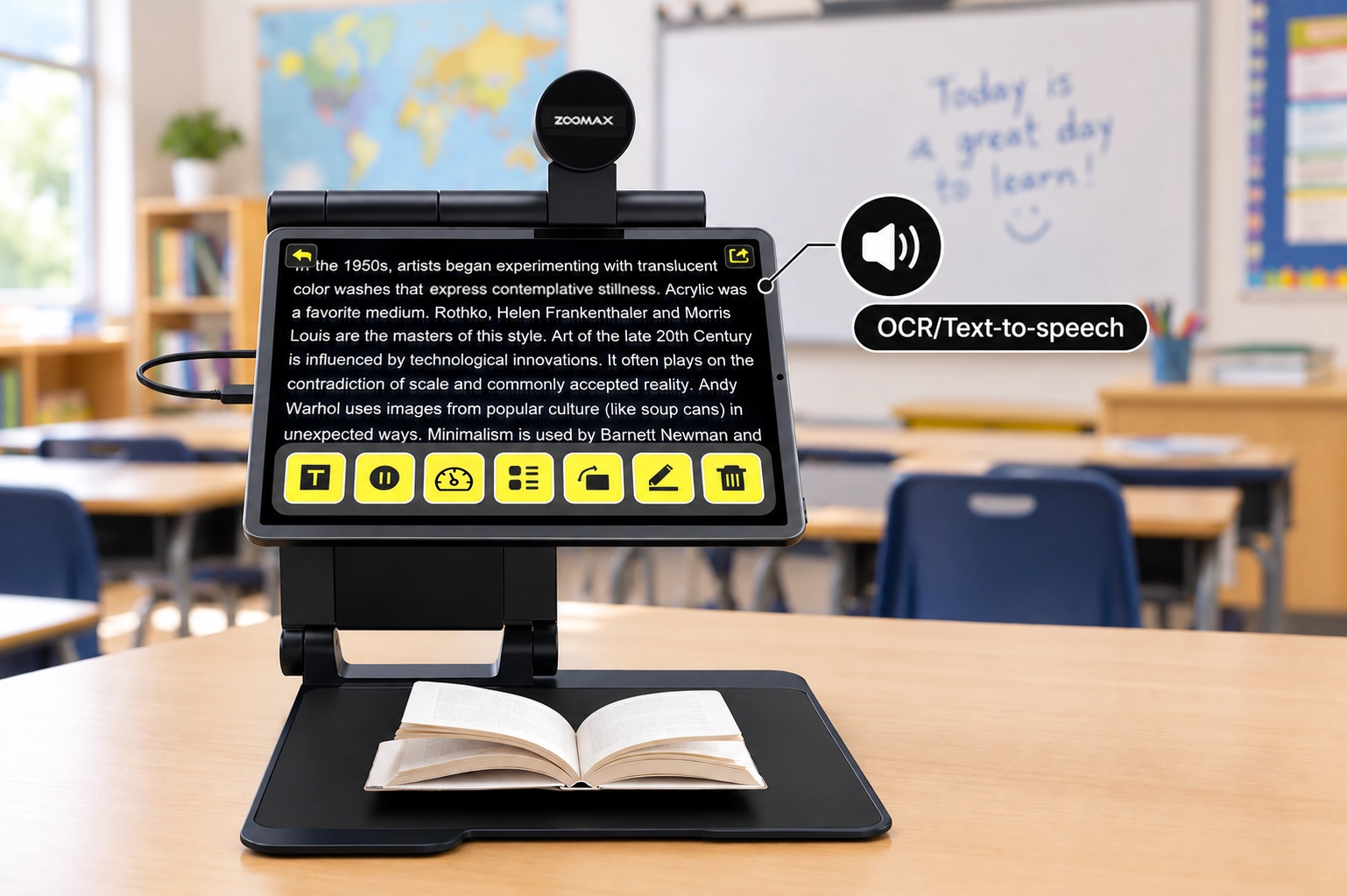
Based on these needs, the school considered Snow Pad tablet screen magnifier as one possible solution. Its near/far viewing capabilities and split-screen function allow students to access information at different distances without constantly switching between separate viewing setups.
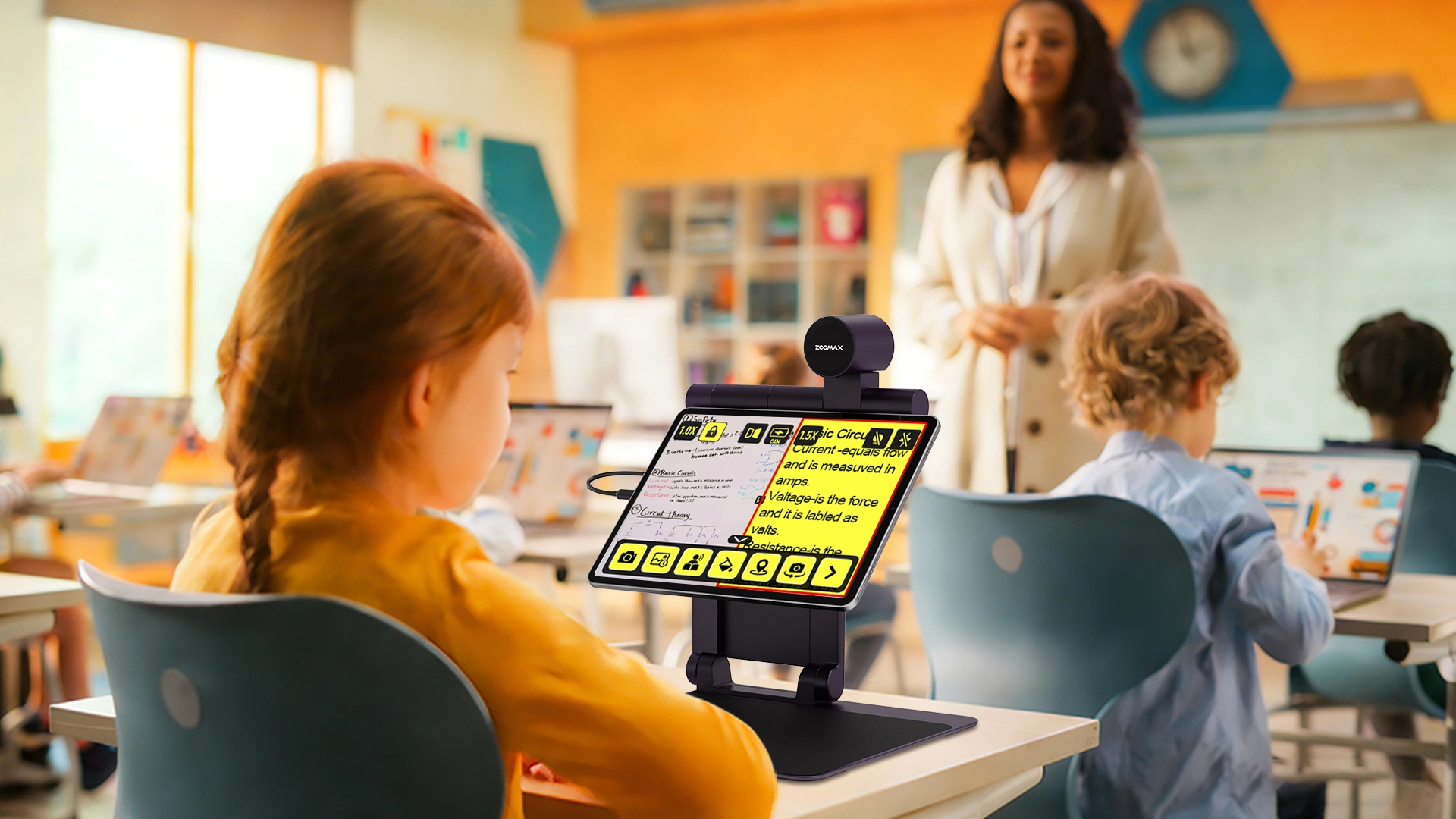
Another practical advantage is that Snow Pad can connect to a compatible iPad or Android tablet. When used with a tablet, the student can use Snow Pad’s split-screen function to view digital textbooks while still accessing other classroom or study content. The student can also freely adjust the text size of the digital textbook, making reading more comfortable and reducing visual strain. This gives schools more flexibility to use tablets already available in the classroom, while allowing the student to continue using the same setup at home with a compatible family tablet. The learning support can therefore extend beyond the classroom rather than being tied to a single location or device.
What Changed in Everyday Learning
After the assessment, the school trialed Snow Pad with the student. During the trial, daily records tracked changes in learning efficiency—including homework time and accuracy—as well as the student’s initiative in using the device and the student’s own reflections on using it in class and at home. The records showed that the student’s reading speed increased by about 30% compared with before. The early onset of visual fatigue in class also improved, the student was able to sustain attention longer before signs of fatigue appeared. These daily notes also helped the school see whether the student was using the device more independently and how the student felt about the experience.
The student and family found several features useful in practice. The clear image and flexible viewing options made it easier to move between classroom information and near materials, while the foldable design made the device easier to carry between classes and home.
The student could also use OCR and text-to-speech when working with printed materials, providing another way to access text when visual reading became more demanding. These functions were particularly useful for supporting independent study and reducing the need to rely on others to read or interpret materials.
The result was not simply that the student had access to a new device. The technology was useful because it addressed the specific barriers identified during the assessment. By making classroom and study materials easier to access, the student could work through learning activities more efficiently and with greater independence.
What confirmed the fit in this case was not the product demonstration alone, but the evidence collected during the trial—reading speed, homework time, accuracy, and the student’s own comfort and initiative. A trial period is therefore not an optional extra; it is how schools find out whether a promising device actually works in real learning tasks. That is why the next section focuses on how schools can plan and carry out that kind of trial before making a device part of everyday learning.
Note: The 30% increase reflects this student’s trial results only; outcomes may vary for individual learners, tasks, and settings.
Try the Technology Before Making It Part of Everyday Learning
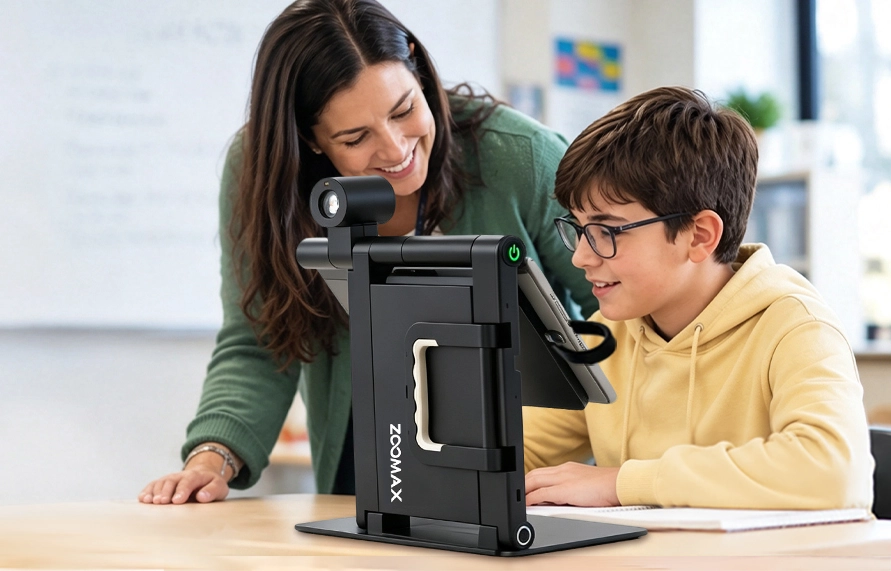
Even when a device appears to match the student’s needs, actual use can provide information that a product demonstration cannot.
Test It With Real Learning Tasks
A product demonstration shows what a device can do. A student trial shows whether those capabilities are useful for that particular student.
Whenever possible, schools can evaluate the technology during real learning activities, such as reading assignments, viewing classroom information, completing worksheets, taking notes, or working independently.
The focus should be on practical outcomes:
- Is information easier to access?
- Can the student complete tasks more efficiently?
- Does the technology support greater independence?
- Can the student use it comfortably in the actual learning environment?
For schools evaluating assistive technology devices for students with visual impairments, real-world testing can reveal practical issues that may not be obvious from a specification sheet or product demonstration.
Help the Student Learn to Use It
Even a well-matched device may require time and instruction before it becomes part of a student’s normal learning routine.
A TVI can help the student learn how to position the device, adjust viewing settings, use relevant functions, and decide when different features are useful. The TVI can also work with classroom teachers so that the student can apply these skills across different subjects and learning situations.
The goal is for technology to become part of the student’s learning process, rather than another obstacle the student has to manage.
Keep Reviewing the Solution as the Student Grows
Assistive technology should not be treated as a one-time purchasing decision. As students grow and their learning environments change, schools may need to review whether the current solution is still supporting effective access.
This is an important part of assistive technology in education: the solution should continue to reflect the student’s educational needs rather than remain unchanged simply because the device has already been purchased.
Listen to the Student and Teachers
The student’s experience is an important part of evaluating whether technology is working in practice. Students can identify tasks that have become easier or situations where the technology still creates difficulties.
Teachers can provide another perspective by observing how consistently the student uses the technology during everyday classroom activities. A TVI can bring these observations together with the student’s changing visual and educational needs.
Adjust When Needs Change
Sometimes the existing technology remains appropriate, but the student needs additional training or a different way of using it. In other cases, new academic requirements or changes in the learning environment may create a need for a different solution.
The important point is that assistive technology is an ongoing support process, not simply a piece of equipment.
The Goal Is Better Access, Not Simply a New Device
For schools that are beginning to support a student with low vision, the process of choosing assistive technology may seem complicated. The underlying principle, however, is straightforward:
Don’t start with the device. Start with the student.
A TVI can help the school understand how the student’s vision affects learning, identify specific barriers, evaluate which technology capabilities may address those barriers, and support the student in using the technology effectively.
The device provides the technology. The TVI helps the school determine when it is needed, why it is needed, and how it can become part of the student’s everyday learning.
When schools approach assistive technology this way, purchasing becomes part of a broader process of supporting access, participation, and independence in everyday learning.
At this stage, schools may also benefit from talking with assistive technology manufacturers and suppliers. These conversations can help the school understand what a device can actually do, how it fits with existing classroom technology, what training and support are available, and how the school can access ongoing service and support. This kind of communication does not replace the assessment process or the TVI’s role; it helps the school translate assessment findings into a practical, supported solution. Working with an experienced low vision devices supplier can therefore make the implementation process smoother and more sustainable.
Supporting Low-Vision Students With the Right Technology
For more than two decades, Zoomax has focused on developing electronic magnification and assistive technology solutions that help people with low vision access information and participate more independently in everyday life.
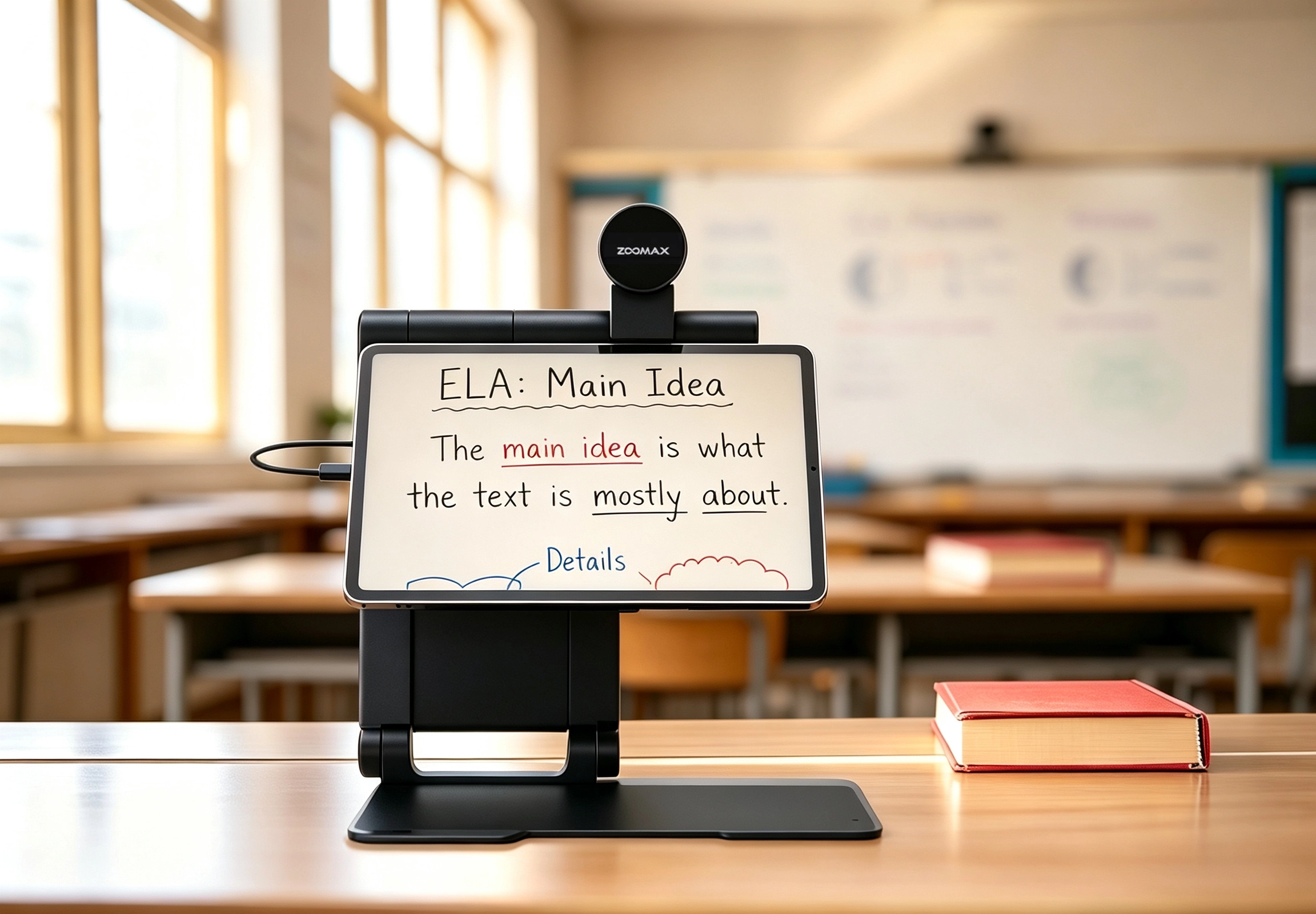
For schools, this means looking beyond magnification alone and considering how technology can fit into real learning environments. Snow Pad was developed as an education-focused solution for K–12 students with low vision, supporting access to both near and distance information in classroom and study settings. By connecting to a compatible iPad or Android tablet, Snow Pad offers a flexible, tablet-based approach that can work alongside the technology already used in the classroom.
If your school is assessing technology needs for low-vision students, we welcome the opportunity to learn more about your situation and discuss with your TVIs how Snow Pad or other Zoomax solutions may fit into your educational environment.